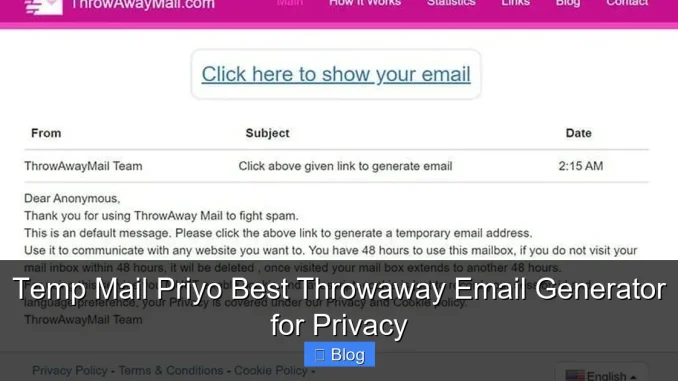
Temp Mail Priyo is a fast, secure, and user-friendly throwaway email generator designed to protect your privacy online. Whether you’re signing up for a free trial, avoiding spam, or shielding your real email from data-hungry websites, this tool delivers instant, disposable inboxes without registration.
Key Takeaways
- Instant Email Creation: Get a working throwaway email in seconds—no sign-up or personal info required.
- Enhanced Privacy Protection: Keep your real email address hidden from spam, phishing, and data brokers.
- Auto-Refresh Inbox: Messages appear instantly, so you never miss verification codes or important replies.
- No Registration Needed: Use the service anonymously—no accounts, no tracking, no hassle.
- Supports Multiple Domains: Choose from various email domains to avoid detection by strict websites.
- Ideal for One-Time Sign-Ups: Perfect for newsletters, free trials, forums, and online forms.
- Free and Ad-Free Experience: Enjoy full functionality without hidden fees or annoying pop-ups.
📑 Table of Contents
- What Is Temp Mail Priyo and Why Should You Use It?
- How Temp Mail Priyo Works: A Simple, Step-by-Step Guide
- Top Benefits of Using a Throwaway Email Generator
- Real-Life Use Cases: When to Use Temp Mail Priyo
- Temp Mail Priyo vs. Other Throwaway Email Services
- Tips for Getting the Most Out of Temp Mail Priyo
- Is Temp Mail Priyo Safe and Legal to Use?
- Final Thoughts: Why Temp Mail Priyo Is the Best Choice
What Is Temp Mail Priyo and Why Should You Use It?
Imagine signing up for a new app or website, only to be bombarded with promotional emails, spam, and unwanted newsletters the next day. It’s frustrating, right? That’s where Temp Mail Priyo comes in—a smart, no-fuss solution for anyone who values online privacy and inbox cleanliness.
Temp Mail Priyo is a free throwaway email generator that creates temporary, disposable email addresses in seconds. These emails work just like real ones—you can receive messages, verification codes, and even attachments—but they vanish after a short period or when you close the tab. No personal information is required, and there’s no sign-up process. It’s like having a secret backdoor to the internet, where you control who sees your real email.
Whether you’re downloading a free eBook, joining a forum, or testing a new service, using your primary email feels risky. Temp Mail Priyo removes that risk. It’s especially useful when you don’t trust a website’s privacy policy or simply want to avoid cluttering your inbox. Think of it as a digital shield—lightweight, effective, and always ready.
How Temp Mail Priyo Works: A Simple, Step-by-Step Guide
Using Temp Mail Priyo is incredibly easy—even if you’re not tech-savvy. The entire process takes less than 10 seconds. Here’s how it works:

Visual guide about Temp Mail Priyo Best Throwaway Email Generator for Privacy
Image source: cdn.dribbble.com
Step 1: Visit the Temp Mail Priyo Website
Open your browser and go to the official Temp Mail Priyo site. The interface is clean and intuitive, with a prominently displayed email address right on the homepage.
Step 2: Copy Your Temporary Email
The system automatically generates a random email address (like [email protected]). Simply click the copy button next to it, or highlight and copy it manually.
Step 3: Use It Anywhere
Paste the email into any sign-up form—whether it’s for a free trial, a newsletter, or a social media account. The email is active immediately.
Step 4: Check Your Inbox
Return to the Temp Mail Priyo website. Any messages sent to your temporary address will appear in the inbox below. Most emails arrive within seconds, especially verification codes.
Step 5: Refresh or Generate a New One
If you need a fresh email, just click the “Generate New Email” button. Old emails expire after a set time (usually 10–60 minutes), so your data stays private.
Pro Tip: Keep the Temp Mail Priyo tab open while signing up. This way, you can instantly see incoming messages without switching windows.
Top Benefits of Using a Throwaway Email Generator
Why bother with a temporary email when you already have a Gmail or Outlook account? The answer lies in privacy, convenience, and peace of mind. Here are the top benefits of using Temp Mail Priyo:
Visual guide about Temp Mail Priyo Best Throwaway Email Generator for Privacy
Image source: opengraph.githubassets.com
1. Protect Your Real Email from Spam
Every time you enter your email online, you risk exposing it to spammers. Even legitimate websites sometimes sell user data. With Temp Mail Priyo, your real email stays hidden. Only the disposable address gets shared, so spam ends up in the trash—literally.
2. Avoid Unwanted Marketing Emails
Free trials and sign-up forms often come with “optional” newsletters. Once you unsubscribe (if you even can), new ones pop up. A throwaway email lets you enjoy the service without the follow-up noise.
3. Safeguard Against Phishing and Scams
Some websites are outright malicious. By using a temporary email, you reduce the chance of your primary account being targeted in phishing attacks. Even if the temp email gets compromised, your real identity remains safe.
4. Test Services Without Commitment
Want to try a new app or platform but don’t want to give your real email? Use Temp Mail Priyo to sign up, test features, and decide later. No strings attached.
5. Maintain Multiple Online Identities
Whether you’re managing different projects, forums, or social media accounts, having separate emails helps keep things organized. Temp Mail Priyo lets you create as many as you need—no limits.
6. No Registration or Personal Info Required
Unlike some email services, Temp Mail Priyo doesn’t ask for your name, phone number, or recovery email. It’s 100% anonymous and hassle-free.
Real-Life Use Cases: When to Use Temp Mail Priyo
Temp Mail Priyo isn’t just for tech geeks—it’s useful for everyday internet users. Here are some common scenarios where a throwaway email shines:
Downloading Free Resources
Many websites require an email to download free eBooks, templates, or software. Instead of giving your real address, use Temp Mail Priyo. You’ll get the file instantly, and your inbox stays clean.
Signing Up for Free Trials
Streaming services, software tools, and online courses often offer free trials. Use a temporary email to sign up, enjoy the trial, and avoid automatic billing emails later.
Joining Online Forums and Communities
Some forums ask for email verification before you can post. If you’re just browsing or testing the waters, a disposable email keeps your identity private.
Creating Social Media Test Accounts
Want to test a new social platform without linking your real profile? Use Temp Mail Priyo to create a test account and explore features risk-free.
Filling Out Surveys and Contests
Online surveys and giveaways often collect email addresses for marketing. Use a throwaway email to participate without future spam.
Registering on Dubious Websites
Not every website is trustworthy. If you’re unsure about a site’s legitimacy, never use your primary email. Temp Mail Priyo acts as a buffer, protecting your real account.
Example: Sarah wanted to download a free resume template from a new website. Instead of using her work email, she generated a Temp Mail Priyo address, received the download link instantly, and closed the tab. No spam, no stress.
Temp Mail Priyo vs. Other Throwaway Email Services
There are many temporary email services out there—10 Minute Mail, Guerrilla Mail, Mail.tm—but Temp Mail Priyo stands out for several reasons. Let’s compare:
Speed and Simplicity
While some services require you to click through ads or wait for emails to load, Temp Mail Priyo delivers instant results. The interface is clean, fast, and mobile-friendly.
No Ads or Pop-Ups
Many free email generators are cluttered with ads, banners, and redirects. Temp Mail Priyo offers a distraction-free experience—no pop-ups, no forced clicks.
Multiple Domain Options
Some websites block known temp email domains. Temp Mail Priyo lets you choose from several domains (like @priyomail.com, @tempmail.net), increasing your chances of successful sign-up.
Auto-Refresh Inbox
Unlike services where you have to manually refresh, Temp Mail Priyo updates your inbox in real time. Messages appear as soon as they’re sent.
Privacy-First Approach
Temp Mail Priyo doesn’t log your activity or store personal data. Other services may track your usage or sell anonymized data—Temp Mail Priyo keeps things private.
Bottom Line: If you want a fast, clean, and reliable throwaway email generator, Temp Mail Priyo is hard to beat. It’s designed for users who value simplicity and security.
Tips for Getting the Most Out of Temp Mail Priyo
To maximize your experience with Temp Mail Priyo, follow these practical tips:
Use It on Mobile and Desktop
Temp Mail Priyo works seamlessly on phones, tablets, and computers. Bookmark the site for quick access whenever you need a temp email.
Keep the Tab Open During Sign-Up
For time-sensitive actions (like email verification), keep the Temp Mail Priyo tab open. This ensures you see the message immediately.
Generate a New Email for Each Use
For better privacy, create a new email for every sign-up. This prevents cross-site tracking and keeps your activities separate.
Check Expiration Times
Most temp emails last 10–60 minutes. If you need more time, generate a new one and update the email on the website (if allowed).
Avoid Sending Sensitive Information
While Temp Mail Priyo is secure, never use it for banking, legal documents, or personal conversations. It’s meant for receiving, not sending sensitive data.
Combine with a VPN for Extra Privacy
For maximum anonymity, use Temp Mail Priyo alongside a VPN. This hides your IP address and adds another layer of protection.
Is Temp Mail Priyo Safe and Legal to Use?
Yes—Temp Mail Priyo is both safe and legal. It doesn’t hack accounts, steal data, or violate terms of service in any malicious way. However, it’s important to use it responsibly.
The service is designed for legitimate purposes: protecting privacy, avoiding spam, and testing services. It’s not intended for fraud, spamming others, or bypassing security measures on paid platforms. Always follow the terms of service of the websites you’re using.
From a technical standpoint, Temp Mail Priyo uses secure servers and doesn’t store your emails permanently. Once the session ends, the data is deleted. This makes it a trustworthy tool for everyday use.
Final Thoughts: Why Temp Mail Priyo Is the Best Choice
In a world where your email address is as valuable as your phone number, protecting it is essential. Temp Mail Priyo offers a simple, effective way to stay private online without sacrificing convenience.
It’s fast, free, and requires no setup. Whether you’re a student, professional, or casual internet user, this throwaway email generator gives you control over your digital footprint. No more unwanted emails, no more spam, no more worries.
Try Temp Mail Priyo the next time you sign up for something online. You’ll wonder how you ever managed without it. It’s not just a tool—it’s a smarter way to browse.
Frequently Asked Questions
Is Temp Mail Priyo really free?
Yes, Temp Mail Priyo is completely free to use. There are no hidden fees, subscriptions, or premium upgrades. You can generate and use temporary emails as many times as you want.
How long do emails last in Temp Mail Priyo?
Emails typically remain active for 10 to 60 minutes, depending on usage and server load. Once the session ends or you close the tab, the email and its messages are deleted.
Can I send emails from Temp Mail Priyo?
No, Temp Mail Priyo is designed only for receiving emails. You cannot send messages or reply to incoming emails. It’s ideal for sign-ups and verifications, not communication.
Will websites block Temp Mail Priyo emails?
Some strict websites block known temporary email domains. However, Temp Mail Priyo offers multiple domain options, so you can try a different one if blocked.
Is my data safe with Temp Mail Priyo?
Yes. Temp Mail Priyo does not store personal information or track your activity. Emails are deleted after the session ends, ensuring your privacy.
Can I use Temp Mail Priyo on my phone?
Absolutely. Temp Mail Priyo is mobile-friendly and works on all devices with a web browser. Just visit the site and start using it instantly.
Leave a Reply