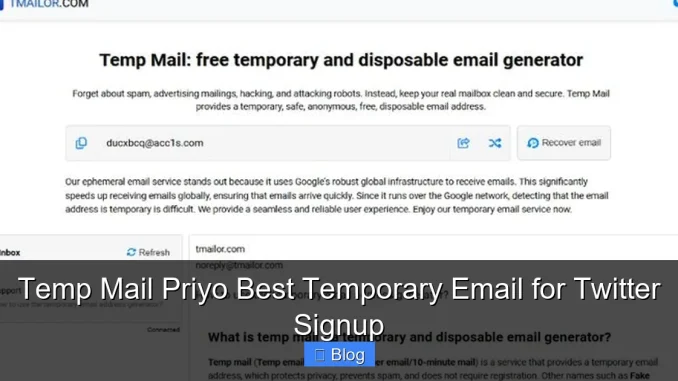
Temp Mail Priyo is a reliable, user-friendly temporary email service perfect for signing up on Twitter without using your personal email. It delivers instant inbox access, protects your privacy, and keeps spam out—all in just a few clicks. Whether you’re testing features or managing multiple accounts, Priyo makes it simple and safe.
Key Takeaways
- Instant Email Generation: Get a working temporary email in seconds—no signup or registration required.
- Privacy-First Approach: Protect your real email from spam, tracking, and data harvesting when signing up for Twitter.
- No Downloads or Installs: Use Temp Mail Priyo directly in your browser—no apps or software needed.
- Auto-Refresh Inbox: Messages appear automatically, so you never miss a verification code or confirmation link.
- Ideal for Multiple Accounts: Easily manage several Twitter profiles using different temporary emails.
- Free and Ad-Supported: Enjoy full functionality at no cost, supported by minimal, non-intrusive ads.
- Compatible Across Devices: Works seamlessly on desktop, tablet, and mobile browsers.
📑 Table of Contents
Why Use a Temporary Email for Twitter Signup?
Signing up for Twitter—now known as X—is usually straightforward. But it often requires an email address. And that’s where things can get messy. If you use your personal email, you might start getting promotional tweets, newsletters, or even spam. Worse, your inbox could be exposed to data breaches or tracking tools.
That’s why more people are turning to temporary email services like Temp Mail Priyo. These tools give you a disposable email address that works just like a real one—but only for a short time. You can use it to verify your Twitter account, receive confirmation links, or reset passwords—without ever touching your main inbox. It’s fast, free, and keeps your digital life cleaner.
The Privacy Problem with Real Emails
Every time you hand over your real email to a social platform, you’re opening the door to potential risks. Companies collect email addresses for marketing, and sometimes they share or sell them to third parties. Even if Twitter itself is secure, data leaks happen. In 2023 alone, millions of user emails were exposed in various platform breaches.
Using your personal email also means more clutter. Unwanted DMs, promotional content, and account notifications can flood your inbox. A temporary email acts like a shield—letting you enjoy Twitter’s features without the baggage.
How Temp Mail Priyo Solves These Issues
Temp Mail Priyo steps in as a smart, no-fuss solution. It generates a unique, working email address in under five seconds. You don’t need to create an account or enter any personal info. Just open the website, and you’re ready to go.
When you use this email to sign up for Twitter, all verification messages go straight to your Priyo inbox. You can read them, click links, or copy codes—just like a regular email. Once you’re done, the email expires automatically. No traces left behind.
How Temp Mail Priyo Works
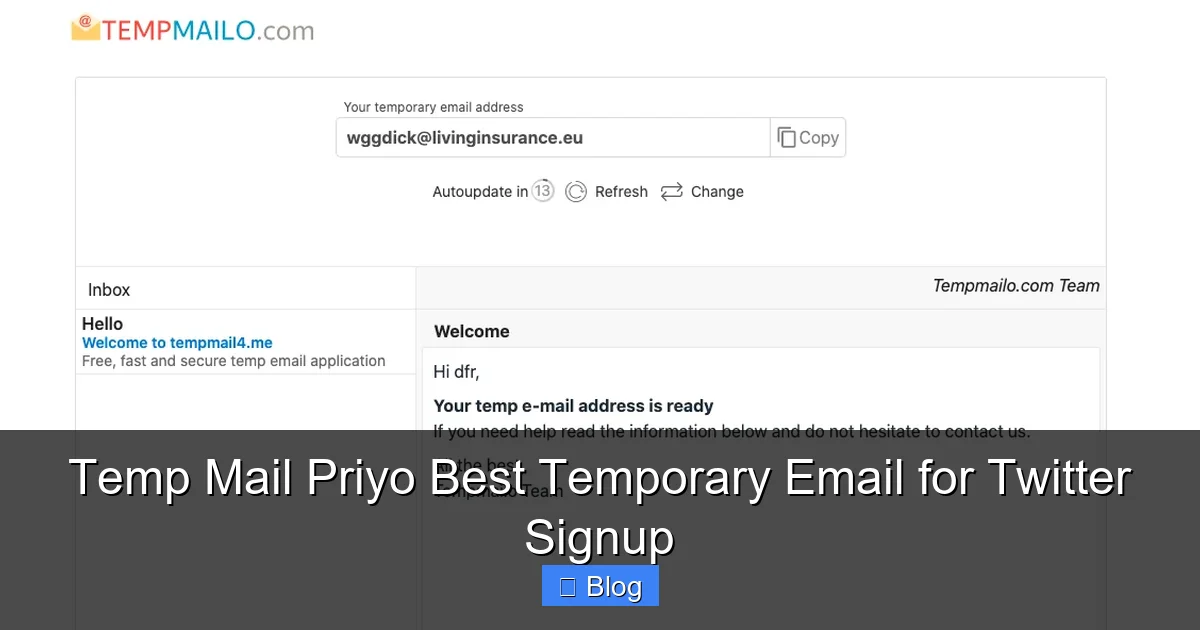
Visual guide about Temp Mail Priyo Best Temporary Email for Twitter Signup
Image source: fakermail.com
Using Temp Mail Priyo is refreshingly simple. There’s no learning curve, no setup, and no waiting. Here’s how it works in three easy steps:
Step 1: Generate a Temporary Email
Go to the Temp Mail Priyo website. The moment the page loads, a new temporary email address appears on your screen. It usually looks something like “[email protected]” or “[email protected]”. This is your disposable inbox.
You don’t need to log in or confirm anything. The email is active immediately. You can even customize the prefix if the service allows it—some versions let you pick your own username before the @ symbol.
Step 2: Use It for Twitter Signup
Now, head over to Twitter’s signup page. When it asks for an email, paste in your Temp Mail Priyo address. Complete the rest of the form—username, password, phone number (if required), and any other fields.
Once you submit, Twitter will send a verification email. Don’t worry—you won’t miss it.
Step 3: Check Your Priyo Inbox
Go back to the Temp Mail Priyo tab in your browser. The inbox refreshes automatically, so the verification email should appear within seconds. Click on it, then click the confirmation link inside. That’s it—your Twitter account is verified and ready to use.
If the email doesn’t show up right away, wait a minute or two. Sometimes there’s a slight delay. You can also manually refresh the page if needed.
Benefits of Using Temp Mail Priyo for Twitter
Temp Mail Priyo isn’t just convenient—it’s a smart move for anyone who values privacy and efficiency. Here’s why it stands out:
1. Complete Anonymity
You don’t need to provide any personal information to use Temp Mail Priyo. No name, no phone number, no real email. This makes it ideal for users who want to stay anonymous online. Whether you’re testing Twitter’s features, creating a burner account, or avoiding platform bans, anonymity is key.
2. No Spam, No Clutter
Once your temporary email expires, it’s gone forever. That means no follow-up emails, no promotional content, and no risk of your inbox getting flooded. You use it once, verify your account, and move on—clean and simple.
3. Fast and Reliable
Temp Mail Priyo is built for speed. Emails arrive quickly, and the interface is lightweight. It works well even on slower internet connections. Plus, the service is up and running most of the time, so you won’t get stuck during a critical signup moment.
4. Perfect for Multiple Accounts
If you manage several Twitter accounts—for work, personal use, or content creation—Temp Mail Priyo makes it easy. Just generate a new email for each account. No need to juggle different inboxes or worry about cross-contamination.
5. Free to Use
Unlike some premium temp mail services, Temp Mail Priyo is completely free. It’s supported by small, non-intrusive ads, but they don’t interfere with your experience. You get full access without paying a cent.
Is Temp Mail Priyo Safe?
Safety is a top concern when using any online tool—especially one that handles your emails. So, is Temp Mail Priyo safe? The short answer: yes, for most everyday uses.
How It Protects Your Data
Temp Mail Priyo doesn’t store your emails permanently. Messages are typically deleted after a few hours or once the session ends. This reduces the risk of data leaks. Also, since you’re not using your real email, even if the service were compromised, your personal information would remain secure.
The service uses basic encryption to protect data in transit, meaning your connection to the site is secure. However, it’s not end-to-end encrypted like some premium email providers. So, avoid sending sensitive information—like passwords or financial details—through the temp inbox.
What to Watch Out For
While Temp Mail Priyo is generally safe, there are a few things to keep in mind:
- Not for Long-Term Use: These emails are temporary. Don’t use them for important accounts that require long-term access, like banking or government services.
- Possible Delays: Occasionally, emails may take a few extra seconds to arrive. If you’re in a hurry, try refreshing or generating a new address.
- Ad Content: The free version includes ads. Most are harmless, but avoid clicking on suspicious banners or pop-ups.
Overall, for Twitter signup and similar tasks, Temp Mail Priyo is a safe, practical choice.
Tips for Using Temp Mail Priyo Effectively
To get the most out of Temp Mail Priyo, follow these simple tips:
Keep the Tab Open
Once you generate your email, keep the Temp Mail Priyo tab open in your browser. This ensures the session stays active and emails appear instantly. If you close the tab, the email may expire sooner.
Use a Reliable Internet Connection
A stable connection helps emails load faster. If you’re on public Wi-Fi or a slow network, consider waiting until you have better access.
Copy the Email Correctly
When pasting your temp email into Twitter’s signup form, double-check for typos. Even a small mistake—like missing a letter or adding an extra space—can cause the verification to fail.
Act Quickly
Temporary emails usually last between 10 minutes to a few hours. If you’re signing up for Twitter, do it right after generating the email. Don’t wait too long, or you might need to start over.
Use Incognito Mode for Extra Privacy
For added security, open Temp Mail Priyo in a private or incognito browser window. This prevents cookies and browsing history from being saved on your device.
Alternatives to Temp Mail Priyo
While Temp Mail Priyo is one of the best options out there, it’s not the only one. Here are a few alternatives you might consider:
1. Mail.tm
Mail.tm offers custom domains and a clean interface. It’s free and works well for Twitter signups. However, it requires a bit more setup than Priyo.
2. Guerrilla Mail
One of the oldest temp mail services, Guerrilla Mail is reliable and fast. But the interface feels outdated, and ads can be distracting.
3. 10 Minute Mail
As the name suggests, emails last about 10 minutes. It’s simple and effective, but the short lifespan can be limiting if verification takes longer.
4. Temp-Mail.org
This service supports multiple languages and offers a mobile app. It’s user-friendly, but some users report occasional downtime.
Compared to these, Temp Mail Priyo strikes the best balance between speed, simplicity, and reliability—especially for Twitter signups.
Final Thoughts: Why Temp Mail Priyo Is the Best Choice
In a world where privacy is increasingly hard to protect, tools like Temp Mail Priyo give you back control. They let you engage with platforms like Twitter without sacrificing your personal information.
Temp Mail Priyo stands out because it’s fast, free, and incredibly easy to use. You don’t need technical skills or extra software. Just open the site, grab an email, and verify your account—all in under a minute.
Whether you’re creating a new Twitter profile, testing features, or managing multiple accounts, Temp Mail Priyo makes the process smooth and secure. It’s not just a temporary email service—it’s a smarter way to stay online.
So next time you need to sign up for Twitter (or any other platform), skip the spam and protect your inbox. Try Temp Mail Priyo—and see how simple online privacy can be.
Frequently Asked Questions
Is Temp Mail Priyo free to use?
Yes, Temp Mail Priyo is completely free. It’s supported by minimal ads, but you don’t need to pay for any features.
Can I use Temp Mail Priyo for other websites besides Twitter?
Absolutely! You can use it for any site that requires email verification, including Instagram, Discord, Reddit, and more.
How long does a temporary email last?
Most emails last between 10 minutes to a few hours, depending on activity. If inactive, they may expire sooner.
Will I receive spam in my Temp Mail Priyo inbox?
It’s unlikely. Since the email is temporary and not linked to your identity, spam is rare. Most messages are verification codes or confirmations.
Can I recover my temporary email after it expires?
No, once the email expires, it cannot be recovered. That’s why it’s important to complete your signup while the inbox is active.
Is it safe to click links in emails from Temp Mail Priyo?
Generally, yes—especially if the email is from a trusted service like Twitter. But always check the sender and avoid suspicious links.
Leave a Reply