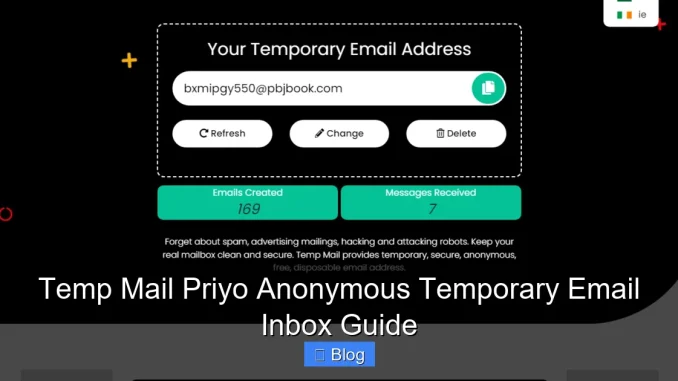
Temp Mail Priyo is a fast, free, and user-friendly temporary email service that lets you create anonymous email addresses in seconds. Whether you’re signing up for a new app, avoiding spam, or protecting your real inbox, this tool offers a simple solution with instant inbox access—no registration required.
Key Takeaways
- Instant Email Creation: Generate a temporary email address in under 5 seconds—no sign-up or personal info needed.
- Complete Anonymity: Use disposable emails without revealing your real identity or linking to your personal accounts.
- Spam Protection: Keep your primary inbox clean by using temp mail for untrusted websites, trials, or promotions.
- Real-Time Inbox Monitoring: View incoming messages instantly with auto-refresh and notifications for new emails.
- No Downloads or Extensions: Works directly in your browser—no software, plugins, or app installations required.
- Secure & Private: Emails are automatically deleted after a set time, reducing data exposure and digital footprints.
- Great for Testing & Development: Developers and testers can use Temp Mail Priyo to verify sign-up flows without cluttering real accounts.
📑 Table of Contents
- What Is Temp Mail Priyo?
- Why Use a Temporary Email Inbox?
- How Temp Mail Priyo Works
- Key Features of Temp Mail Priyo
- Best Use Cases for Temp Mail Priyo
- Tips for Using Temp Mail Priyo Effectively
- Is Temp Mail Priyo Safe and Legal?
- Alternatives to Temp Mail Priyo
- Final Thoughts: Is Temp Mail Priyo Right for You?
What Is Temp Mail Priyo?
Imagine needing to sign up for a website—just once—but not wanting to hand over your real email address. Maybe it’s a free trial, a sketchy forum, or a service you’ll never use again. That’s where Temp Mail Priyo comes in. It’s a free, anonymous temporary email inbox that gives you a disposable email address in seconds—no registration, no personal info, and no strings attached.
Unlike traditional email providers like Gmail or Outlook, Temp Mail Priyo doesn’t require you to create an account or verify your identity. You simply visit the website, and boom—you’re handed a brand-new email address. You can use it immediately to receive verification codes, download links, or confirmation messages. Once you’re done, the inbox disappears (or auto-deletes), leaving no trace behind. It’s like having a secret mailbox that vanishes after you’re finished.
Why Use a Temporary Email Inbox?
In today’s digital world, your email address is one of your most valuable online assets. But every time you share it, you risk exposing yourself to spam, phishing attempts, data breaches, and unwanted marketing. That’s why more people are turning to temporary email services like Temp Mail Priyo.
Visual guide about Temp Mail Priyo Anonymous Temporary Email Inbox Guide
Image source: stevehodgkiss.net
Protect Your Privacy
When you use your real email for every sign-up, you’re essentially handing out your digital fingerprint. Companies track your behavior, sell your data, and flood your inbox with ads. With Temp Mail Priyo, you keep your real identity hidden. Whether you’re downloading an eBook from a new site or joining a niche forum, your personal email stays safe and private.
Avoid Spam and Unwanted Emails
Let’s be honest—no one likes opening their inbox to find 17 promotional emails from a service they signed up for “just to see what it was.” Temporary email inboxes act as a shield. You can use them for one-time registrations, free trials, or downloads, and never worry about follow-up emails cluttering your main account.
Test Apps and Websites Safely
For developers, marketers, and QA testers, Temp Mail Priyo is a game-changer. Need to test a sign-up flow? Create a new temp email and verify the process without using your real account. Want to check if a website sends a confirmation email? Use a disposable address and monitor the inbox in real time. It’s fast, efficient, and keeps your personal inbox untouched.
How Temp Mail Priyo Works
Using Temp Mail Priyo is incredibly simple—even if you’ve never used a temporary email service before. There’s no learning curve, no setup, and no technical skills required. Here’s how it works, step by step.
Visual guide about Temp Mail Priyo Anonymous Temporary Email Inbox Guide
Image source: tempail.com
Step 1: Visit the Website
Go to the Temp Mail Priyo website using any modern browser—Chrome, Safari, Firefox, or Edge. The interface is clean and intuitive, with a large email address displayed front and center.
Step 2: Get Your Temporary Email
The moment you land on the page, you’re assigned a random email address. It might look something like [email protected] or [email protected]. This is your temporary inbox—ready to use immediately.
Step 3: Use It for Sign-Ups
Copy the email address and paste it into any registration form. Whether it’s a newsletter, a free software download, or a social media trial, just use the temp email instead of your real one.
Step 4: Monitor the Inbox
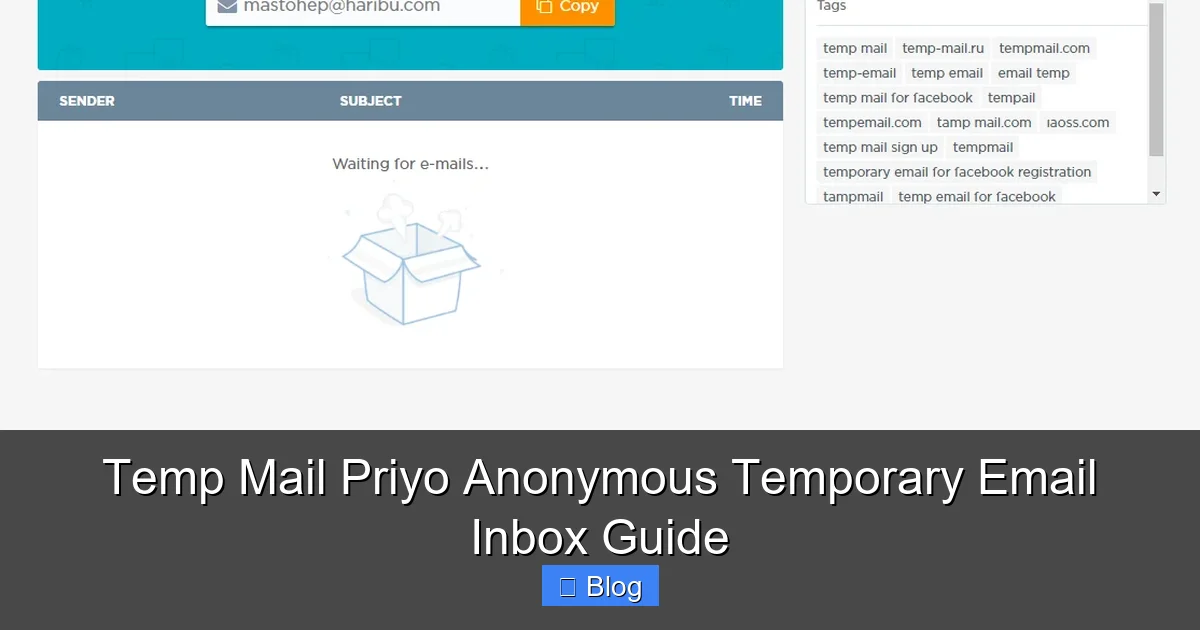
Return to the Temp Mail Priyo website, and you’ll see your inbox. If someone sends an email—like a verification link or welcome message—it will appear here instantly. The page auto-refreshes, so you don’t have to keep hitting “reload.”
Step 5: Use or Discard
Once you’ve received what you need—say, a download link or confirmation code—you can close the tab. The email and inbox will expire after a set time (usually 10–60 minutes), or you can manually delete it. No data is stored long-term.
Key Features of Temp Mail Priyo
Temp Mail Priyo isn’t just another disposable email service—it’s designed with simplicity, speed, and security in mind. Here are the standout features that make it a top choice for users worldwide.
Instant Email Generation
No waiting. No forms. No delays. The second you visit the site, you get a working email address. This is perfect for situations where you need to act fast—like claiming a limited-time offer or verifying an account before a session expires.
Anonymous and Secure
Your real identity is never linked to the temp email. There’s no tracking, no cookies (beyond basic functionality), and no data collection. You remain completely anonymous, which is ideal for privacy-conscious users.
Real-Time Inbox Updates
Unlike some temp mail services that require manual refreshing, Temp Mail Priyo updates your inbox in real time. As soon as an email arrives, it pops up on the screen. You’ll even see a notification badge if a new message comes in.
No Registration or Downloads
You don’t need to create an account, install an app, or add a browser extension. Everything happens in your browser. This makes it accessible from any device—laptop, tablet, or smartphone—without leaving a digital footprint.
Auto-Expiring Emails
Privacy is built into the system. Emails are automatically deleted after a short period (typically 10–60 minutes, depending on usage). This prevents old messages from being accessed later and reduces the risk of data exposure.
Multiple Domain Options
Temp Mail Priyo offers several email domains (like @tempmailpriyo.com, @tempmailpriyo.net, etc.), which can help bypass filters that block certain disposable email providers. If one domain gets flagged, you can easily switch to another.
Best Use Cases for Temp Mail Priyo
Temp Mail Priyo isn’t just for avoiding spam—it has a wide range of practical applications. Here are some of the most common and useful ways people are using this temporary email inbox.
One-Time Registrations
Signing up for a free trial? Downloading a whitepaper? Joining a webinar? Use a temp email to complete the process without committing your real address. Once you’ve got what you need, walk away—no strings attached.
Online Shopping and Coupons
Many e-commerce sites offer discounts for new email sign-ups. Instead of giving them your primary email, use Temp Mail Priyo to grab the promo code and complete your purchase. You get the deal, and your inbox stays clean.
Social Media and Forum Sign-Ups
Want to comment on a forum or join a niche community without revealing your identity? A temporary email lets you participate anonymously. Just remember—some platforms may block known temp mail domains, so have a backup plan.
Software and App Testing
Developers and testers use Temp Mail Priyo to simulate user sign-ups, test email workflows, and verify account creation processes. It’s a reliable way to ensure your app’s registration system works without spamming real users.
Bypassing Email Verification
Some websites require email verification before granting access. Instead of using your real email, generate a temp address, verify the link, and gain access instantly. This is especially useful for accessing content behind paywalls or registration gates.
Protecting Against Data Breaches
If a website gets hacked, your email could end up on the dark web. By using a disposable email, you limit the damage. Even if the temp address is leaked, it’s useless after expiration—your real account remains secure.
Tips for Using Temp Mail Priyo Effectively
While Temp Mail Priyo is designed to be foolproof, a few smart practices can help you get the most out of it—and avoid common pitfalls.
Use It for Low-Risk Activities Only
Never use a temporary email for sensitive actions like banking, government services, or primary account recovery. These services often require long-term, verifiable email addresses. Temp mail is best for low-stakes, short-term use.
Check the Inbox Promptly
Since emails expire quickly, don’t wait too long to check your inbox. If you’re expecting a verification link, return to the site within 10–15 minutes to avoid missing it.
Copy Links Immediately
When you receive a download link or confirmation email, copy it right away. Once the inbox expires, you won’t be able to retrieve the message—even if you remember the email address.
Use Multiple Tabs for Multiple Emails
Need more than one temp email? Open multiple browser tabs and generate different addresses. This is useful if you’re signing up for several services at once or testing different user flows.
Be Aware of Domain Blocks
Some websites block known temporary email domains. If you get an error like “Disposable email not allowed,” try refreshing to get a new address with a different domain, or use a less common temp mail provider as a backup.
Don’t Rely on It for Long-Term Communication
Temp Mail Priyo is not a replacement for a real email account. It’s meant for short-term, one-off use. If you need ongoing communication, use a permanent email service.
Is Temp Mail Priyo Safe and Legal?
Yes—Temp Mail Priyo is both safe and legal to use. It doesn’t hack, steal, or violate any terms of service. However, it’s important to use it responsibly.
The service operates within ethical boundaries. It doesn’t send spam, track users, or store personal data. Your temporary emails are encrypted in transit, and the inbox is accessible only via a unique, randomized URL. This means no one else can access your messages unless they have the exact link.
That said, avoid using temp mail for illegal activities—like creating fake accounts to scam others or bypassing security measures on protected platforms. While the tool itself is legitimate, misuse can lead to consequences.
For everyday users, though, Temp Mail Priyo is a smart, secure way to protect your digital privacy without breaking any rules.
Alternatives to Temp Mail Priyo
While Temp Mail Priyo is a great option, it’s not the only temporary email service out there. Here are a few popular alternatives, each with its own strengths:
- Guerrilla Mail: One of the oldest temp mail services. Offers instant emails and a simple interface, but ads can be intrusive.
- 10 Minute Mail: Exactly what it sounds like—emails last 10 minutes. Great for quick verifications, but limited time window.
- Mail.tm: Offers custom email names and longer expiration times. Slightly more advanced, but still user-friendly.
- Temp-Mail.org: Supports multiple languages and has a clean design. Good for international users.
Each service has its pros and cons, but Temp Mail Priyo stands out for its simplicity, speed, and zero-friction experience.
Final Thoughts: Is Temp Mail Priyo Right for You?
If you value privacy, hate spam, and want a quick way to sign up for services without commitment, Temp Mail Priyo is a fantastic tool. It’s free, fast, and works right in your browser—no downloads, no sign-ups, no hassle.
Whether you’re a casual internet user, a developer, or someone who just wants to keep their inbox clean, this temporary email inbox offers a practical solution. It won’t replace your Gmail or Outlook, but it’s the perfect companion for those “just this once” moments.
So the next time you’re about to hand over your email address to a site you don’t trust, pause. Open Temp Mail Priyo, grab a disposable address, and browse with confidence. Your inbox—and your peace of mind—will thank you.
Frequently Asked Questions
Is Temp Mail Priyo free to use?
Yes, Temp Mail Priyo is completely free. There are no hidden fees, subscriptions, or premium upgrades. You can generate and use temporary email addresses as often as you need.
How long do emails last in the inbox?
Emails typically expire after 10 to 60 minutes, depending on activity and server settings. Once expired, the messages are permanently deleted and cannot be recovered.
Can I choose my own email address?
No, Temp Mail Priyo generates random email addresses automatically. You cannot customize the username, but you can refresh to get a new one if you don’t like the current address.
Is my data safe with Temp Mail Priyo?
Yes. The service does not store personal information, and emails are encrypted in transit. Since inboxes expire quickly, your data is not retained long-term, reducing privacy risks.
Can I use Temp Mail Priyo on my phone?
Absolutely. The website is mobile-friendly and works on all smartphones and tablets. Just open your browser, visit the site, and start using it—no app download needed.
Why can’t I receive emails from certain websites?
Some websites block disposable email domains to prevent spam or fake accounts. If a site rejects your temp email, try refreshing for a new address with a different domain, or use a less common temp mail service.
Leave a Reply