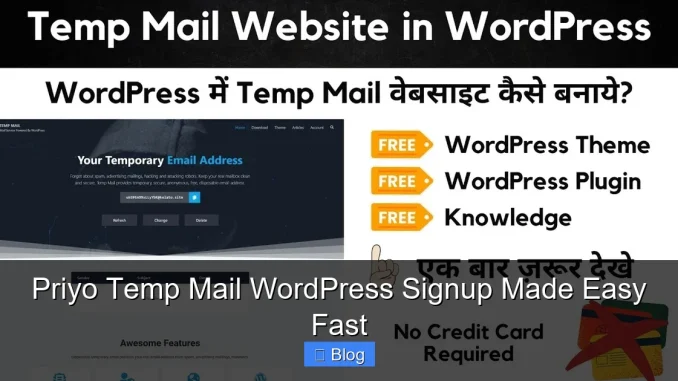
Struggling with spam during WordPress signups? Priyo Temp Mail offers a fast, secure way to register without using your real email. It’s perfect for testing sites, avoiding junk mail, or protecting your privacy—all in seconds.
Key Takeaways
- Instant Email Access: Get a temporary email address in seconds—no downloads or signups required.
- Spam-Free WordPress Signup: Use Priyo Temp Mail to register on WordPress sites without cluttering your inbox.
- Privacy Protection: Keep your real email hidden from public forums, comment sections, or untrusted platforms.
- No Registration Needed: Priyo works instantly—just visit the site and start using your temp email right away.
- Auto-Refresh Inbox: Messages appear automatically, so you never miss a verification link or confirmation email.
- Ideal for Testing: Developers and testers can create multiple WordPress accounts safely and efficiently.
- Free and User-Friendly: No hidden fees, no complex setup—just simple, fast email masking.
📑 Table of Contents
- What Is Priyo Temp Mail and Why Use It for WordPress?
- Why Use a Temporary Email for WordPress Signup?
- Step-by-Step: How to Use Priyo Temp Mail for WordPress Signup
- Tips for Using Priyo Temp Mail Effectively
- Common Use Cases for Priyo Temp Mail and WordPress
- Priyo Temp Mail vs. Other Temporary Email Services
- Is Priyo Temp Mail Safe and Legal?
- Final Thoughts: Make WordPress Signup Easy and Secure
What Is Priyo Temp Mail and Why Use It for WordPress?
Let’s be honest—signing up for WordPress sites can be a pain. You enter your email, and suddenly your inbox is flooded with newsletters, promo codes, and follow-up emails you never asked for. That’s where Priyo Temp Mail comes in. It’s a free, instant temporary email service that lets you create disposable email addresses in seconds—no registration, no downloads, no hassle.
Whether you’re testing a new WordPress plugin, signing up for a forum, or just want to keep your personal email private, Priyo Temp Mail makes it easy. Think of it as a digital shield for your inbox. Instead of using your real email, you generate a temporary one that forwards messages to you—then disappears after you’re done. It’s perfect for one-time signups, especially on sites you don’t fully trust yet.
How Priyo Temp Mail Works
Using Priyo Temp Mail is incredibly simple. Just head to the website, and it instantly generates a random email address for you. This address is active immediately—you can start using it right away. When someone sends an email to that address (like a WordPress verification link), it appears in your Priyo inbox within seconds. You can read it, click links, or even reply—all without revealing your real identity.
The best part? There’s no signup required. You don’t need to create an account or remember passwords. The service is completely anonymous and runs in your browser. Once you close the tab or refresh the page, the email address becomes inactive. That means no long-term spam, no forgotten accounts, and total peace of mind.
Why Use a Temporary Email for WordPress Signup?
WordPress powers over 40% of the web, which means you’ll likely need to sign up for multiple sites—blogs, forums, marketplaces, or client projects. But every time you use your real email, you’re opening the door to spam, data tracking, and potential security risks. That’s why using a temporary email for WordPress signup is a smart move.
Avoid Spam and Unwanted Emails
Let’s face it—no one likes a cluttered inbox. When you sign up for a WordPress site, you often get automatic welcome emails, weekly digests, or promotional offers. Even if you unsubscribe, some sites keep sending messages. With Priyo Temp Mail, you bypass this entirely. Use a temp email just for the signup, grab your verification link, and move on. No spam, no stress.
Protect Your Privacy
Your email address is personal data. The more places you share it, the higher the risk of it being sold, leaked, or targeted by hackers. By using a temporary email, you keep your real address private. This is especially important on lesser-known WordPress sites or forums where data security might not be a top priority.
Test WordPress Sites Safely
If you’re a developer, designer, or tester, you probably create multiple WordPress accounts to test themes, plugins, or user roles. Using your personal email for each test account is messy and risky. Priyo Temp Mail lets you generate unique emails for every test—keeping your real inbox clean and your testing process organized.
Prevent Account Lockouts
Some WordPress sites require email verification before you can log in. If you use a fake or incorrect email, you might get locked out. Priyo Temp Mail solves this by giving you a real, working email address that receives messages instantly. You can verify your account, log in, and start using the site—all without compromising your privacy.
Step-by-Step: How to Use Priyo Temp Mail for WordPress Signup
Ready to try it? Here’s a simple, step-by-step guide to using Priyo Temp Mail for WordPress signup—fast and easy.
Step 1: Visit Priyo Temp Mail
Open your browser and go to the Priyo Temp Mail website. You’ll see a randomly generated email address right on the homepage. No login or setup required.
Step 2: Copy the Temporary Email
Click the copy button next to the email address. It’s usually something like “[email protected]”—random and unique. This is your disposable inbox for the next few minutes.
Step 3: Go to the WordPress Site
Navigate to the WordPress site where you want to sign up. This could be a blog, forum, marketplace, or any site that requires registration.
Step 4: Enter the Temp Email
When prompted for an email address during signup, paste the Priyo Temp Mail address you just copied. Fill in any other required fields (username, password, etc.).
Step 5: Check Your Priyo Inbox
Go back to the Priyo Temp Mail website. Within seconds, you’ll see a new email appear—usually a verification or welcome message from the WordPress site. Click the verification link inside the email to complete your registration.
Step 6: Log In and Enjoy
Once verified, return to the WordPress site and log in with your new account. You’re all set! The temp email will stay active for a short time, so you can receive any follow-up messages if needed.
Tips for Using Priyo Temp Mail Effectively
While Priyo Temp Mail is simple, a few smart tips can make your experience even smoother.
Keep the Tab Open
Since the email address becomes inactive when you close the browser, keep the Priyo tab open during your WordPress signup process. This ensures you receive the verification email right away.
Use It for One-Time Actions
Priyo Temp Mail is best for short-term use—like verifying a WordPress account or signing up for a trial. Don’t use it for long-term subscriptions or services that require ongoing email communication.
Refresh if Needed
If you don’t see an email after a few minutes, try refreshing the Priyo inbox. Sometimes messages take a moment to arrive, especially on slower networks.
Avoid Sensitive Transactions
While Priyo is great for signups, avoid using it for financial transactions, password resets on important accounts, or anything involving personal data. Stick to low-risk, temporary uses.
Combine with Browser Profiles
If you’re testing multiple WordPress sites, consider using separate browser profiles or incognito windows. This keeps your temp emails and signups organized and prevents mix-ups.
Common Use Cases for Priyo Temp Mail and WordPress
Priyo Temp Mail isn’t just for random signups—it has real, practical uses for WordPress users of all kinds.
Bloggers and Content Creators
If you’re writing guest posts or commenting on other WordPress blogs, use a temp email to avoid spam. You can still engage with the community without exposing your main inbox.
Freelancers and Developers
When working with clients, you might need to create demo accounts or test user roles. Priyo Temp Mail lets you do this quickly and securely—no need to clutter your personal email with client-related messages.
Online Learners
Many WordPress-based courses and tutorials require registration. Use a temp email to sign up, access the content, and avoid future marketing emails.
Forum and Community Members
WordPress powers countless forums and communities. If you’re just browsing or posting occasionally, a temp email keeps your identity private while still allowing participation.
Priyo Temp Mail vs. Other Temporary Email Services
There are many temp email services out there—10 Minute Mail, Guerrilla Mail, TempMail.org—but Priyo Temp Mail stands out for its simplicity and speed.
No Ads or Pop-Ups
Unlike some competitors, Priyo Temp Mail has a clean, ad-free interface. You won’t be bombarded with banners or redirects—just a simple inbox and email address.
Instant Activation
Some services require you to click “generate” or wait for a countdown. Priyo gives you an email instantly—no delays, no extra steps.
Auto-Refresh Inbox
Priyo automatically checks for new emails, so you don’t have to manually refresh. This is a huge time-saver when waiting for WordPress verification links.
Privacy-Focused
Priyo doesn’t track your activity or store your data. Once you close the tab, your email and messages are gone—no logs, no history.
Is Priyo Temp Mail Safe and Legal?
Yes—Priyo Temp Mail is both safe and legal to use. It’s designed for privacy and convenience, not for malicious purposes.
Safe for Personal Use
As long as you’re using it for legitimate signups (like WordPress), there’s no risk. The service doesn’t collect personal information, and your real email stays hidden.
Not for Fraud or Abuse
Using temp emails to spam, create fake accounts for scams, or bypass security measures is against the terms of service of most platforms—including WordPress. Always use Priyo ethically and responsibly.
Works with Most Sites
The majority of WordPress sites accept temp emails without issue. However, some high-security platforms (like banks or government sites) may block disposable addresses. For standard WordPress blogs and forums, Priyo works perfectly.
Final Thoughts: Make WordPress Signup Easy and Secure
Signing up for WordPress sites doesn’t have to mean sacrificing your privacy or dealing with endless spam. With Priyo Temp Mail, you can create accounts quickly, safely, and without using your real email. It’s fast, free, and incredibly easy to use—perfect for bloggers, developers, testers, and everyday users.
Whether you’re testing a new plugin, joining a forum, or just want to keep your inbox clean, Priyo Temp Mail is a smart, simple solution. Give it a try the next time you need to sign up for a WordPress site—you’ll wonder how you ever managed without it.
Frequently Asked Questions
Is Priyo Temp Mail free to use?
Yes, Priyo Temp Mail is completely free. There are no hidden fees, subscriptions, or premium upgrades. You can use it as often as you need without paying a cent.
How long does a Priyo Temp Mail address last?
The email address stays active as long as you keep the browser tab open. Once you close it or refresh the page, the address becomes inactive and can’t receive new messages.
Can I recover emails from a closed Priyo session?
No, once the session ends, the email and all messages are permanently deleted. Priyo doesn’t store data, so there’s no way to recover past emails.
Will WordPress sites accept Priyo Temp Mail addresses?
Most WordPress sites accept temp emails without issues. However, some high-security platforms may block disposable addresses. For standard blogs and forums, it works perfectly.
Can I use Priyo Temp Mail on mobile devices?
Yes, Priyo Temp Mail works on smartphones and tablets. Just visit the website in your mobile browser, and you’ll get a temp email instantly—no app download needed.
Is it safe to click verification links in Priyo emails?
Yes, as long as you’re signing up for a legitimate WordPress site. The links are real and safe to click. Just avoid using temp emails for sensitive accounts like banking or email providers.
Leave a Reply