Worried about email privacy? Priyo Mail offers a simple, powerful encrypted email service that keeps your messages safe from hackers and surveillance. With end-to-end encryption and user-friendly features, it’s never been easier to protect your digital communications.
Key Takeaways
- Priyo Mail uses end-to-end encryption: Your messages are encrypted on your device and only decrypted by the intended recipient, ensuring no third party can read them.
- No technical skills required: Designed for everyday users, Priyo Mail is easy to set up and use, even if you’re not tech-savvy.
- Protects against phishing and hacking: Advanced security features help prevent unauthorized access and malicious attacks.
- Cross-platform compatibility: Access your secure inbox from desktop, mobile, or web browser with seamless synchronization.
- Free and premium plans available: Start with a free account and upgrade for more storage and advanced features.
- Ideal for personal and professional use: Whether you’re sharing medical records or business contracts, Priyo Mail keeps sensitive data private.
- Open-source transparency: The encryption protocols are open for review, building trust through transparency.
📑 Table of Contents
- Why Email Security Matters More Than Ever
- What Is Priyo Mail Encrypted Email Service?
- Key Features of Priyo Mail
- How to Get Started with Priyo Mail
- Who Should Use Priyo Mail?
- Comparing Priyo Mail to Other Secure Email Services
- Tips for Maximizing Your Security with Priyo Mail
- Conclusion: Take Control of Your Email Privacy
Why Email Security Matters More Than Ever
In today’s digital world, email is one of the most commonly used tools for communication—whether you’re sending a quick note to a friend, sharing work documents, or confirming a bank transaction. But here’s the hard truth: most standard email services don’t offer real protection. Your messages can be intercepted, read by hackers, or even scanned by service providers for advertising purposes. That’s a big risk, especially when you’re sharing sensitive information like passwords, financial details, or personal health records.
The good news? You don’t have to live in fear of your emails being exposed. Solutions like Priyo Mail encrypted email are changing the game by putting privacy back in your hands. Unlike traditional email providers that store your messages in readable form, Priyo Mail ensures that only you and the person you’re emailing can read what’s inside. It’s like sending a sealed letter that only the recipient has the key to open—no snooping allowed.
What Is Priyo Mail Encrypted Email Service?
Priyo Mail is a secure email platform that prioritizes user privacy through strong encryption and smart design. The name “Priyo” means “beloved” in several South Asian languages, reflecting the service’s mission to offer a trusted, personal communication experience. But don’t let the friendly name fool you—this email service packs serious security under the hood.
Visual guide about Secure Your Emails with Priyo Mail Encrypted Email Service
Image source: cdn-resprivacy.pressidium.com
How Does Priyo Mail Work?
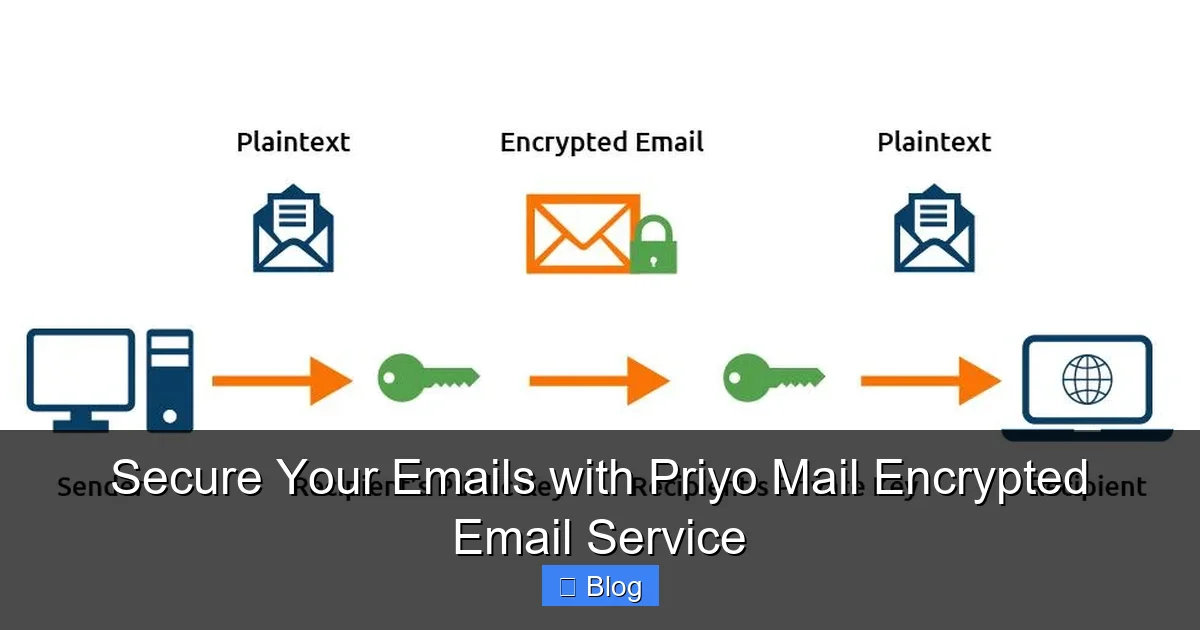
At its core, Priyo Mail uses end-to-end encryption (E2EE) to protect your messages. This means your emails are encrypted on your device before they’re sent and can only be decrypted by the recipient’s device. Even if someone intercepts the email during transmission or gains access to Priyo Mail’s servers, they’ll only see scrambled, unreadable data.
Here’s a simple example: Imagine you’re sending a confidential work proposal to your boss. With a regular email, that message travels in plain text and could be read by hackers, internet service providers, or even the email company itself. With Priyo Mail, the message is locked with a digital key that only your boss has. No one else—not even Priyo Mail—can unlock it.
Open-Source and Transparent
One of the standout features of Priyo Mail is its commitment to transparency. The encryption protocols and core software are open-source, meaning security experts around the world can review the code for vulnerabilities. This builds trust and ensures that there are no hidden backdoors or secret data collection practices. In a world where privacy scandals make headlines, this level of openness is refreshing and essential.
Key Features of Priyo Mail
Priyo Mail isn’t just secure—it’s also packed with features that make secure emailing practical and convenient for everyday users. Let’s break down what makes it a top choice for anyone serious about digital privacy.
Visual guide about Secure Your Emails with Priyo Mail Encrypted Email Service
Image source: rightinbox.com
End-to-End Encryption by Default
Every email you send through Priyo Mail is automatically encrypted. You don’t need to toggle settings or enable special modes—it just works. This default protection ensures that even if you forget to take extra steps, your messages are still safe. It’s peace of mind built right into your inbox.
Zero-Access Architecture
Priyo Mail follows a zero-access policy, meaning the company cannot access your emails, contacts, or encryption keys. Your data belongs to you—not the service provider. This is a major advantage over mainstream email services like Gmail or Outlook, which technically have the ability to scan and store your messages.
User-Friendly Interface
Security doesn’t have to mean complexity. Priyo Mail features a clean, intuitive interface that feels familiar to users of popular email platforms. Whether you’re composing a message, organizing your inbox, or setting up filters, everything is designed for ease of use. You won’t need a computer science degree to stay secure.
Cross-Platform Access
Access your encrypted inbox from anywhere. Priyo Mail offers apps for iOS and Android, a web interface, and compatibility with desktop email clients like Thunderbird. Your emails sync securely across all devices, so you’re always connected without compromising safety.
Self-Destructing Messages
For extra-sensitive communications, Priyo Mail allows you to set messages to self-destruct after a certain period. This feature is perfect for sharing temporary login codes, confidential project details, or personal notes you don’t want lingering in someone’s inbox forever.
Two-Factor Authentication (2FA)
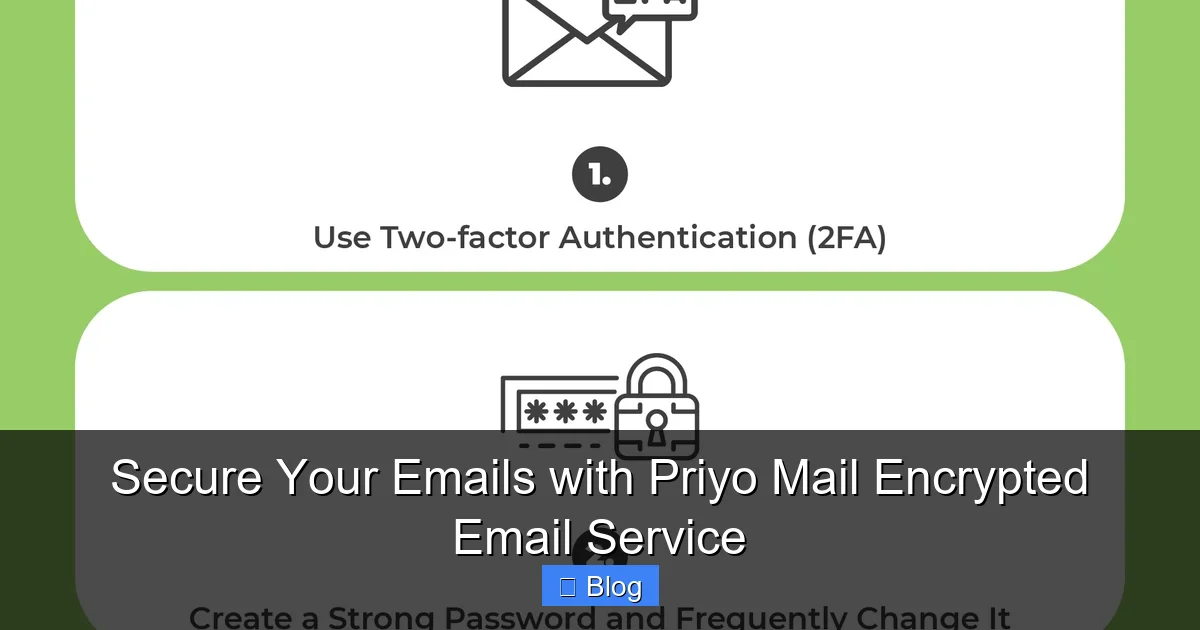
To prevent unauthorized access to your account, Priyo Mail supports two-factor authentication. This means even if someone guesses your password, they’ll still need a second form of verification—like a code from your phone—to log in. It’s an extra layer of defense that’s simple to set up and highly effective.
How to Get Started with Priyo Mail
Ready to switch to a more secure email service? Getting started with Priyo Mail is quick and straightforward. Here’s a step-by-step guide to help you make the transition smoothly.
Visual guide about Secure Your Emails with Priyo Mail Encrypted Email Service
Image source: guardiandigital.com
Step 1: Sign Up for an Account
Visit the official Priyo Mail website and click “Sign Up.” You’ll need to provide a username, create a strong password, and verify your email address. The process takes just a few minutes, and you can choose between a free plan or a premium subscription with more storage and features.
Step 2: Download the App (Optional)
For the best experience, download the Priyo Mail app on your smartphone or tablet. The mobile app offers the same level of encryption and security as the web version, with added convenience for on-the-go communication.
Step 3: Import Your Contacts
If you’re switching from another email service, you can import your existing contacts into Priyo Mail. This makes it easy to start sending encrypted messages to people you already communicate with. Just make sure they also use Priyo Mail or another E2EE-compatible service for full protection.
Step 4: Start Sending Encrypted Emails
Compose a new message just like you would with any email client. When you send it, Priyo Mail automatically encrypts the content. If the recipient is also using Priyo Mail, the message will decrypt seamlessly on their end. If they’re using a different service, you can still send secure messages using password-protected links or encrypted attachments.
Step 5: Enable Two-Factor Authentication
Head to your account settings and turn on two-factor authentication. This simple step dramatically reduces the risk of unauthorized access and is highly recommended for all users.
Who Should Use Priyo Mail?
Priyo Mail isn’t just for tech experts or privacy activists—it’s for anyone who values their digital privacy. Here are a few groups who can benefit the most from switching to an encrypted email service.
Professionals Handling Sensitive Data
Lawyers, doctors, financial advisors, and HR managers often deal with confidential information. Using a secure email service like Priyo Mail ensures that client data, medical records, and financial documents remain protected from breaches and leaks.
Journalists and Activists
Individuals working in high-risk environments need to communicate without fear of surveillance. Priyo Mail’s encryption and anonymity features make it a trusted tool for journalists, whistleblowers, and human rights advocates.
Everyday Users Concerned About Privacy
Even if you’re not sharing top-secret information, your personal emails contain valuable data—photos, conversations, travel plans, and more. Using Priyo Mail helps protect your digital life from identity theft, phishing scams, and unwanted tracking.
Small Businesses and Remote Teams
For companies that rely on email for internal communication, client outreach, or project collaboration, security is crucial. Priyo Mail offers team plans with shared inboxes, admin controls, and secure file sharing—all without sacrificing ease of use.
Comparing Priyo Mail to Other Secure Email Services
There are several encrypted email providers on the market, so how does Priyo Mail stack up? Let’s compare it to some popular alternatives like ProtonMail, Tutanota, and Mailfence.
Ease of Use
While ProtonMail and Tutanota are strong contenders, some users find their interfaces a bit clunky or overly technical. Priyo Mail strikes a balance between security and simplicity, making it more accessible to non-technical users.
Pricing
Priyo Mail offers a generous free plan with 5GB of storage—more than many competitors. Premium plans are also competitively priced, starting at just $3 per month for additional storage and advanced features like custom domains.
Encryption Standards
All these services use strong encryption, but Priyo Mail’s open-source approach gives it an edge in transparency. Users can verify the security claims for themselves, which builds greater trust.
Global Accessibility
Unlike some services that are restricted in certain countries, Priyo Mail is available worldwide. This makes it a great option for international users or travelers who need reliable, secure email access.
Tips for Maximizing Your Security with Priyo Mail
Even with strong encryption, your email security depends on how you use the service. Here are some practical tips to get the most out of Priyo Mail.
Use Strong, Unique Passwords
Your password is the first line of defense. Avoid common phrases or reused passwords. Consider using a password manager to generate and store complex passwords securely.
Keep Your Software Updated
Always install the latest updates for the Priyo Mail app and your device’s operating system. Updates often include security patches that protect against new threats.
Be Cautious with Attachments
Even encrypted emails can be risky if you open malicious attachments. Only download files from trusted sources, and scan them with antivirus software when possible.
Educate Your Contacts
For end-to-end encryption to work, your recipients also need to use a compatible service. Encourage friends, family, and colleagues to switch to Priyo Mail or another secure provider.
Log Out on Shared Devices
If you access your email from a public or shared computer, always log out when you’re done. This prevents others from accessing your account.
Conclusion: Take Control of Your Email Privacy
In an age where data breaches and online surveillance are all too common, protecting your email isn’t just a smart move—it’s a necessity. Priyo Mail encrypted email service offers a powerful, user-friendly solution that puts privacy first without sacrificing convenience. Whether you’re a professional handling sensitive data or just someone who values their digital freedom, Priyo Mail gives you the tools to communicate with confidence.
Switching to secure email might seem like a small step, but it’s one of the most effective ways to safeguard your personal and professional life online. With strong encryption, transparent practices, and a commitment to user privacy, Priyo Mail is leading the way toward a safer digital future. Don’t wait for a breach to happen—take action today and start sending emails that truly stay private.
Frequently Asked Questions
Is Priyo Mail really secure?
Yes, Priyo Mail uses end-to-end encryption, meaning only you and the recipient can read your messages. The service also follows a zero-access policy, so even Priyo Mail cannot view your emails.
Can I use Priyo Mail for free?
Absolutely. Priyo Mail offers a free plan with 5GB of storage and full encryption features. Premium plans are available for users who need more storage or advanced tools.
Do both sender and recipient need Priyo Mail for encryption?
For full end-to-end encryption, yes—both parties should use Priyo Mail or another E2EE-compatible service. However, you can still send secure messages to non-users using password-protected links.
Is Priyo Mail available on mobile devices?
Yes, Priyo Mail has dedicated apps for iOS and Android, allowing you to send and receive encrypted emails on the go with the same level of security as the desktop version.
Can I import my existing emails into Priyo Mail?
While you can import contacts, migrating old emails requires manual forwarding or using third-party tools. Priyo Mail focuses on securing new communications rather than storing legacy data.
What happens if I forget my password?
Because of the zero-access design, Priyo Mail cannot recover your password. You’ll need to reset it using your recovery email or two-factor authentication method.
Leave a Reply