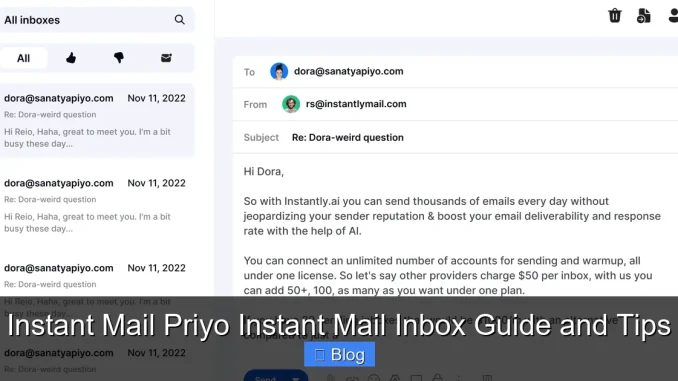
Instant Mail Priyo Instant Mail Inbox is a smart, user-friendly tool for creating temporary email addresses that protect your privacy online. Whether you’re signing up for newsletters, avoiding spam, or testing websites, this guide shows you how to get the most out of your instant mail experience with simple tips and real-world examples.
Key Takeaways
- Protect Your Privacy: Use temporary email addresses to keep your primary inbox clean and safe from spam and data leaks.
- Quick Setup: Create an instant mail inbox in seconds—no registration or personal info required.
- Auto-Expiring Addresses: Most addresses expire after a set time, reducing long-term exposure to phishing or scams.
- Ideal for Testing: Developers and marketers use Priyo to test sign-up forms, email flows, and landing pages without using real emails.
- No Downloads Needed: Access your instant mail inbox directly from your browser—no apps or software to install.
- Spam Filtering: Built-in filters help keep junk mail out of your temporary inbox, so you only see what matters.
- Secure and Anonymous: Priyo doesn’t track your activity, making it a trusted choice for privacy-conscious users.
📑 Table of Contents
What Is Instant Mail Priyo Instant Mail Inbox?
Imagine needing to sign up for a website, but you don’t want to give out your real email address. Maybe it’s a free trial, a one-time download, or a forum you’ll never visit again. That’s where Instant Mail Priyo Instant Mail Inbox comes in—a fast, secure way to create temporary email addresses on the fly.
This service lets you generate a disposable email address instantly. You can use it to receive verification codes, confirm sign-ups, or just test how a website handles email communication. The best part? No personal information is required. Just open the site, get your email, and start using it right away. Your real inbox stays clean, and your privacy stays protected.
How Does It Work?
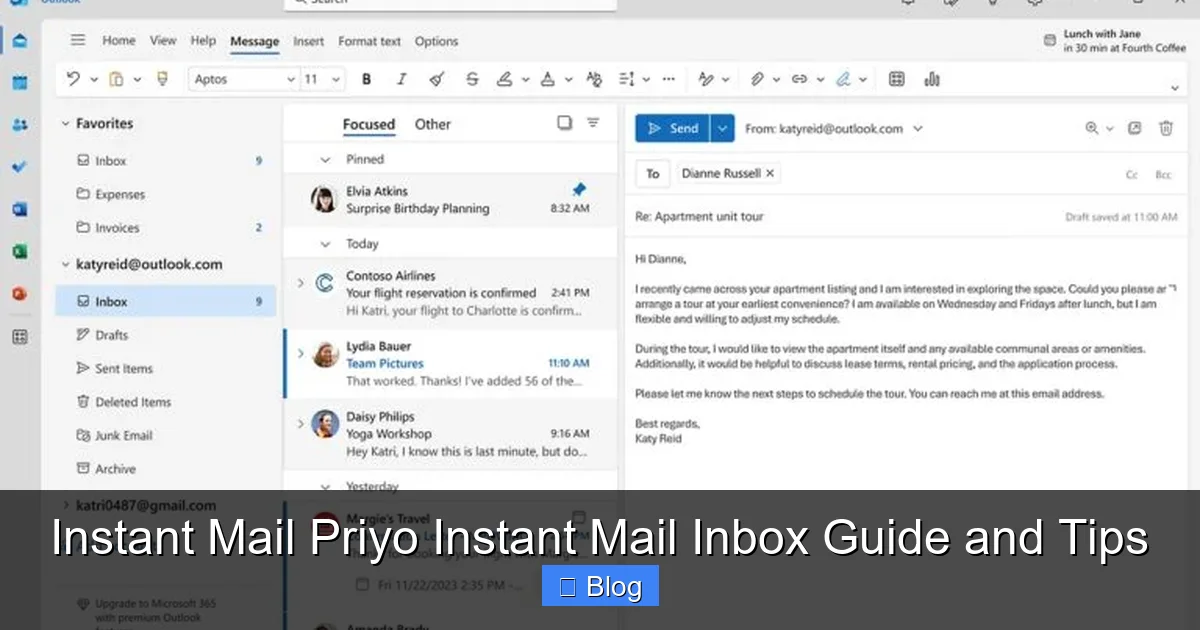
Using Priyo is as simple as visiting the website and copying a randomly generated email address. That address is linked to a temporary inbox that you can access immediately. Any emails sent to that address will appear in your inbox within seconds. You can read, delete, or forward messages—just like a regular email account.
For example, let’s say you’re downloading a free eBook from a new website. Instead of using your Gmail or Outlook address, you generate a Priyo email. The confirmation link arrives in your temporary inbox in under 10 seconds. You click it, get your eBook, and then forget about the email. No spam, no clutter, no risk.
Why Use a Temporary Email Service?
We live in a world where every website wants your email. But not all of them are trustworthy. Some sell your data, others get hacked, and many just send endless promotional emails. A temporary email service like Priyo acts as a shield between you and the digital world.
Here are a few common scenarios where it shines:
- Signing up for free trials: Test software or streaming services without long-term spam.
- Downloading resources: Get access to whitepapers, templates, or tools without giving away your real email.
- Creating test accounts: Developers and QA testers use it to simulate user sign-ups.
- Avoiding phishing risks: If a site looks sketchy, use a disposable email to stay safe.
Setting Up Your Instant Mail Inbox in Seconds
One of the biggest advantages of Instant Mail Priyo Instant Mail Inbox is how fast it is to get started. There’s no sign-up form, no password to remember, and no email confirmation loop. Just go to the website, and you’re ready to go.
Visual guide about Instant Mail Priyo Instant Mail Inbox Guide and Tips
Image source: mundobytes.com
Step-by-Step Setup
Here’s how to create your first temporary email address:
- Open your web browser and go to the Priyo website.
- A random email address will appear on the screen (e.g., [email protected]).
- Copy that address and paste it into any sign-up form.
- Switch back to the Priyo tab—your inbox will show any incoming messages.
- Click on a message to read it, or use the refresh button to check for new emails.
That’s it! The entire process takes less than 10 seconds. And because the inbox updates in real time, you’ll never miss a verification code or confirmation link.
Customizing Your Email Address
While Priyo generates random addresses by default, some versions of the service allow you to create a custom prefix. For example, you could use [email protected] instead of a random string. This can be helpful if you’re managing multiple temporary accounts or need to remember which email you used where.
Keep in mind that custom addresses may not always be available—especially if someone else has already claimed them. But for most users, the auto-generated ones work perfectly fine.
Top Use Cases for Instant Mail Priyo
The beauty of a temporary email inbox is its versatility. It’s not just for avoiding spam—it’s a powerful tool for everyday digital life. Let’s explore some of the most popular ways people use Priyo.
Visual guide about Instant Mail Priyo Instant Mail Inbox Guide and Tips
Image source: storage.googleapis.com
1. Protecting Your Primary Email
Your main email account is like your digital identity. It’s linked to your bank, social media, work accounts, and more. Giving it out freely increases the risk of data breaches, phishing, and identity theft.
By using a temporary email, you keep your real address private. Even if the temporary inbox gets compromised, your personal data stays safe. It’s like wearing a disguise online—simple, effective, and smart.
2. Testing Websites and Apps
If you’re a developer, marketer, or product tester, you probably sign up for dozens of accounts every week. But using your real email for testing can clutter your inbox and skew analytics.
With Priyo, you can create unique email addresses for each test. For example:
- Use [email protected] for a landing page A/B test.
- Use [email protected] to check email deliverability.
- Use [email protected] to simulate a user journey.
This keeps your testing clean, organized, and separate from real user data.
3. Avoiding Unwanted Subscriptions
Ever signed up for a free sample and suddenly got 20 emails a day? That’s the downside of giving out your email too freely.
With Priyo, you can accept the sample, get your confirmation, and then let the inbox expire. No more unwanted newsletters, no more unsubscribe battles. Just peace and quiet.
4. Staying Anonymous Online
Sometimes, you just want to browse or comment without leaving a digital footprint. Whether it’s a forum, a review site, or a support chat, using a temporary email helps you stay anonymous.
For example, if you’re posting feedback on a product page, you might not want the company to contact you later. A disposable email lets you share your thoughts without opening the door to follow-ups.
Security and Privacy Features of Priyo
When it comes to online tools, security is everything. You’re trusting a service with your communications, even if they’re temporary. So, what makes Instant Mail Priyo Instant Mail Inbox a safe choice?
Visual guide about Instant Mail Priyo Instant Mail Inbox Guide and Tips
Image source: flow-e.com
No Personal Data Required
Priyo doesn’t ask for your name, phone number, or real email. There’s no account creation, no login, and no tracking. This means your activity can’t be linked back to you.
Unlike some free email services that scan your messages for ads, Priyo focuses on privacy. Your temporary inbox is just that—temporary and private.
Automatic Expiration
Most temporary emails on Priyo expire after a set time—usually between 10 minutes and 24 hours. Once the time runs out, the inbox is deleted, and the email address becomes unusable.
This reduces the risk of long-term exposure. Even if someone tries to send spam later, the address won’t work. It’s a built-in safety net.
No Ads or Tracking
Many free services make money by showing ads or collecting user data. Priyo keeps things clean. There are no pop-ups, no banners, and no hidden tracking scripts.
Your browsing experience is fast, simple, and focused on one thing: getting a temporary email and using it.
HTTPS Encryption
The Priyo website uses HTTPS, which means all data between your browser and the server is encrypted. This protects your inbox from being intercepted by hackers or snoops on public Wi-Fi.
It’s a small detail, but an important one—especially when you’re accessing your inbox on the go.
Tips for Getting the Most Out of Your Instant Mail Inbox
Using Priyo is easy, but a few smart habits can make your experience even better. Here are some pro tips to help you stay organized, secure, and efficient.
Use Descriptive Names for Testing
If you’re managing multiple temporary emails, give them meaningful names. For example:
- [email protected] for testing email campaigns.
- [email protected] for checking sign-up forms.
- [email protected] for one-time file downloads.
This makes it easier to remember which email you used where—especially if you’re juggling several projects.
Refresh Frequently
Emails can arrive in seconds, but sometimes there’s a slight delay. If you don’t see a message right away, click the refresh button every 10–15 seconds.
Most verification codes arrive within 30 seconds, but during peak times, it might take a minute. Patience pays off.
Don’t Use It for Sensitive Accounts
While Priyo is great for low-risk activities, avoid using it for anything important—like banking, government services, or permanent accounts.
Why? Because if the inbox expires and you lose access, you could be locked out forever. Temporary emails are perfect for testing and privacy, but not for long-term use.
Bookmark the Site
Save the Priyo website to your bookmarks or home screen. That way, you can access it instantly whenever you need a new email address.
It’s one less step between you and a clean, spam-free experience.
Use It on Multiple Devices
Priyo works on phones, tablets, and computers. If you’re signing up for something on your phone, you can still check the inbox on your laptop—or vice versa.
Just make sure you’re using the same browser session, or you might lose access to your temporary inbox.
Common Mistakes to Avoid
Even simple tools can be misused. Here are a few pitfalls to watch out for when using Instant Mail Priyo Instant Mail Inbox.
Assuming All Temporary Emails Are Equal
Not all disposable email services are created equal. Some keep logs, show ads, or don’t expire quickly. Priyo stands out for its simplicity and privacy—but always double-check the features before relying on any service.
Using the Same Address Repeatedly
Just because an email address works once doesn’t mean it’s safe to reuse. If you use the same temporary email for multiple sites, you increase the risk of being tracked or targeted.
Generate a new address for each use—especially if privacy is a concern.
Ignoring Expiration Times
If you need access to an email for more than a day, a temporary inbox might not be the right tool. Plan ahead and choose a service with longer expiration times—or use a real email account.
Forgetting to Check the Inbox
It’s easy to copy the email, paste it, and then forget to check for the confirmation message. Set a reminder or keep the Priyo tab open until you’ve completed the process.
A few seconds of attention can save you minutes of frustration later.
Conclusion
Instant Mail Priyo Instant Mail Inbox is a smart, simple solution for anyone who values privacy, efficiency, and control over their digital life. Whether you’re avoiding spam, testing a new app, or just trying to stay anonymous online, this tool makes it easy to create a temporary email in seconds—no strings attached.
With no registration, no tracking, and instant access, Priyo puts you in the driver’s seat. You decide when to use it, how to use it, and when to let it go. And with the tips and best practices in this guide, you’re ready to make the most of every temporary inbox.
So the next time you’re about to hand over your email address, ask yourself: do I really need to? With Priyo, the answer is often no.
Frequently Asked Questions
Is Instant Mail Priyo Instant Mail Inbox free to use?
Yes, Priyo is completely free. There are no hidden fees, subscriptions, or premium upgrades. You can create and use temporary email addresses as often as you like.
How long do temporary email addresses last?
Most addresses expire after 10 minutes to 24 hours, depending on the service settings. Once expired, the inbox is deleted and the address can no longer receive emails.
Can I recover my temporary email if it expires?
No, once the inbox expires, it’s gone forever. That’s why it’s important not to use temporary emails for anything you might need long-term access to.
Is it safe to use Priyo for sensitive information?
While Priyo is secure for general use, avoid sending passwords, financial data, or personal details to a temporary inbox. It’s best for low-risk activities like sign-ups and confirmations.
Can I send emails from my Priyo address?
Most temporary email services, including Priyo, are receive-only. You can read incoming messages, but you usually can’t send replies or compose new emails.
Does Priyo work on mobile devices?
Yes, Priyo is fully compatible with smartphones and tablets. Just open the website in your mobile browser and use it the same way you would on a computer.
Leave a Reply