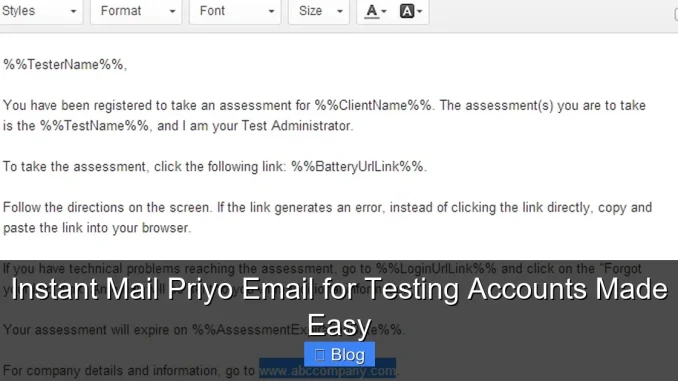
Instant mail Priyo email makes creating temporary email addresses for testing accounts fast, secure, and hassle-free. Whether you’re a developer, QA tester, or app creator, this tool streamlines sign-up processes without spam or real inbox clutter.
Key Takeaways
- Instant Access: Create disposable email addresses in seconds for immediate use in testing environments.
- No Registration Required: Skip lengthy sign-ups—Priyo email works instantly without account creation.
- Spam-Free Testing: Keep your primary inbox clean while validating forms, APIs, and user flows.
- Ideal for Developers: Perfect for automated tests, staging environments, and debugging email-based features.
- Secure & Private: No personal data needed, reducing exposure during test scenarios.
- Supports Multiple Inboxes: Manage several test accounts simultaneously with unique email addresses.
- Free to Use: Most instant mail services like Priyo offer full functionality at no cost.
📑 Table of Contents
- What Is Instant Mail Priyo Email and Why Should You Use It?
- Top Benefits of Using Instant Mail for Testing Accounts
- Common Use Cases for Priyo Email in Testing
- How to Use Instant Mail Priyo Email: Step-by-Step Guide
- Best Practices and Common Pitfalls to Avoid
- Alternatives to Priyo Email and When to Use Them
- Conclusion: Make Testing Easier with Instant Mail
What Is Instant Mail Priyo Email and Why Should You Use It?
If you’ve ever needed to test a new app, website, or software feature that requires email verification, you know how annoying it can be to use your real email address. You end up flooded with confirmation emails, password reset links, and promotional spam—even for something you’re just testing. That’s where instant mail Priyo email comes in.
Priyo email is a type of temporary or disposable email service that gives you a working email address—on the spot—without any registration. You simply visit the website, and boom: you have a brand-new inbox ready to receive messages. It’s perfect for developers, testers, and anyone who wants to validate functionality without cluttering their personal or work inbox.
But it’s not just about convenience. Using instant mail for testing accounts adds a layer of security and efficiency. You avoid exposing your real email to potentially untrusted platforms during development or staging. Plus, since these emails are temporary, they expire after a short time (usually 10 minutes to an hour), which helps keep your digital footprint clean.
How Does It Work?
The process is refreshingly simple. When you go to a Priyo email service—like PriyoMail.com or similar platforms—you’re instantly assigned a random email address. This address follows a format like [email protected]. You can use this address to sign up for any service that requires email verification.
Once you submit the sign-up form, the verification email lands directly in your Priyo inbox. You can open it, click the confirmation link, and complete the process—all without leaving the Priyo tab. No downloads, no logins, no fuss.
Some advanced services even allow you to create custom email names (e.g., [email protected]), so you can organize multiple test accounts easily. This is especially helpful when testing multi-user systems or role-based access.
Top Benefits of Using Instant Mail for Testing Accounts
There’s a reason why developers and QA teams swear by instant mail services like Priyo. The benefits go far beyond just avoiding spam. Let’s break down why this tool is a game-changer for anyone working with digital products.
1. Speed and Efficiency
Time is precious, especially during development sprints. Instead of waiting for emails to arrive in your personal inbox—or worse, missing them because they went to spam—you get instant access. The moment a verification email is sent, it appears in your Priyo inbox within seconds.
This speed is crucial when running automated tests or debugging email workflows. You don’t have to pause your workflow to check another email account. Everything happens in one place, in real time.
2. Enhanced Privacy and Security
Using your real email for testing exposes you to potential data leaks, phishing attempts, or accidental subscriptions. With instant mail, you’re using a throwaway address that’s not tied to your identity. Even if the service you’re testing gets compromised, your personal information stays safe.
This is especially important when testing third-party integrations or beta versions of apps that may not have strong security measures in place. You’re essentially creating a digital sandbox—safe, isolated, and disposable.
3. Clean Inbox Management
Let’s be honest: your main email inbox is already crowded. Adding test emails from staging environments, dummy accounts, or trial sign-ups only makes it worse. Instant mail keeps all that noise out of your primary inbox.
You can test dozens of accounts without ever touching your Gmail, Outlook, or work email. This separation improves focus and reduces digital clutter.
4. Supports Automation and Scalability
For developers running automated test suites, instant mail services can be integrated into scripts. Some platforms offer APIs that let you generate email addresses programmatically and retrieve messages without manual intervention.
Imagine running 100 user registration tests in parallel—each with its own unique email. With Priyo-style services, this is not only possible but efficient. You can validate email delivery, check content, and confirm links—all automatically.
5. No Cost, No Commitment
Most instant mail services are completely free. You don’t need to sign up, provide payment info, or agree to terms. Just open the site and start using it. This makes it ideal for short-term testing, one-off validations, or even teaching environments where students need to test apps without real accounts.
Common Use Cases for Priyo Email in Testing
Now that you know the benefits, let’s look at real-world scenarios where instant mail shines. These examples show just how versatile and practical Priyo email can be.
Testing User Registration Flows
One of the most common uses is validating user sign-up processes. When building a new app, you need to ensure that:
– The registration form accepts valid emails
– Verification emails are sent correctly
– Users can click the link and activate their account
– Error handling works for invalid or duplicate emails
Using Priyo email, you can simulate this entire flow in minutes. Create a test email, submit the form, check the inbox, and confirm the link works. If something breaks, you know immediately—and you haven’t polluted your real inbox.
Validating Email Notifications and Templates
Email design and content matter. You want to make sure your welcome emails, password resets, and promotional messages look good and function properly.
With instant mail, you can receive these emails in a clean environment and inspect them for:
– Correct formatting (HTML vs. plain text)
– Accurate links and buttons
– Proper branding and copy
– Mobile responsiveness
Since you’re seeing the email exactly as a user would, you can catch issues before they go live.
Testing Multi-User or Role-Based Systems
Some apps require multiple user types—like admins, customers, and moderators. Each role might receive different emails or have different permissions.
Using Priyo email, you can create several test accounts with different roles and verify that each receives the correct notifications. For example:
– Admin: Gets a “new user registered” alert
– Customer: Receives a welcome email
– Moderator: Gets a content approval request
This helps ensure your email logic is working as intended across user types.
Debugging API Integrations
If your app integrates with email services like SendGrid, Mailgun, or AWS SES, you need to test that emails are being sent correctly. Instant mail lets you verify delivery without relying on external accounts.
You can also test edge cases—like what happens when an email bounces or fails to send. By monitoring the Priyo inbox, you can confirm whether your system handles these scenarios gracefully.
Teaching and Training Environments
In coding bootcamps or online courses, students often build apps that require email functionality. Instead of asking them to use personal emails, instructors can recommend instant mail services.
This keeps learning safe, private, and focused on development—not inbox management.
How to Use Instant Mail Priyo Email: Step-by-Step Guide
Ready to give it a try? Here’s a simple, no-nonsense guide to using Priyo email for testing accounts.
Step 1: Visit a Priyo Email Service
Open your browser and go to a trusted instant mail site like PriyoMail.com, Temp-Mail.org, or 10MinuteMail.com. These sites work similarly—just pick one you like.
Step 2: Get Your Temporary Email Address
The moment the page loads, you’ll see a randomly generated email address. It might look like [email protected]. This is your test inbox.
You don’t need to log in or confirm anything. It’s ready to use.
Step 3: Use the Email in Your Test
Copy the email address and paste it into the sign-up form of the app or website you’re testing. Submit the form as you normally would.
Step 4: Check the Inbox
Go back to the Priyo email tab. Within seconds, the verification email should appear. Click on it to open.
Step 5: Confirm or Interact
Click the confirmation link, reset password button, or any other action required. The page will redirect you to the app, confirming the process worked.
Step 6: Repeat or Refresh
Need to test another account? Most services let you generate a new email by refreshing the page or clicking “New Email.” Some even allow custom names for better organization.
Pro Tips for Best Results
– Use Multiple Tabs: Open several Priyo inboxes in different tabs to test multiple accounts at once.
– Bookmark the Site: Save the Priyo email URL for quick access during testing sessions.
– Check Spam Folder: Rarely, emails might land in a “spam” section within the Priyo inbox—just in case.
– Use Browser Extensions: Some services offer Chrome extensions that let you generate emails directly from your toolbar.
Best Practices and Common Pitfalls to Avoid
While instant mail is powerful, it’s not perfect. Here are some tips to get the most out of it—and avoid common mistakes.
Choose Reliable Services
Not all temporary email sites are created equal. Some may be slow, unreliable, or even malicious. Stick to well-known platforms like PriyoMail, Temp-Mail, or Guerrilla Mail. Check reviews and avoid sites that ask for personal info.
Don’t Use for Sensitive Data
Never use instant mail for anything involving real money, personal documents, or confidential information. These emails are temporary and not secure for long-term use.
Watch the Expiry Timer
Most Priyo emails expire after 10–60 minutes. If your test takes longer, the inbox might disappear. Plan accordingly—or use a service that offers longer durations.
Test Email Delivery Times
Some apps take a few seconds to send emails. Don’t assume failure if you don’t see it immediately. Wait 30–60 seconds before troubleshooting.
Combine with Other Tools
For advanced testing, pair instant mail with tools like Postman (for API testing), Selenium (for automation), or Mailtrap (for staging environments). This creates a complete testing ecosystem.
Alternatives to Priyo Email and When to Use Them
While Priyo email is great, it’s not the only option. Depending on your needs, you might consider alternatives.
Mailtrap
A paid service designed for developers. It captures emails in a sandbox, so they never reach real users. Ideal for team environments and CI/CD pipelines.
Guerrilla Mail
Similar to Priyo but with more features, like custom email names and longer expiry times. Good for longer testing sessions.
10MinuteMail
Simple and fast. The name says it all—emails last about 10 minutes. Great for quick validations.
Your Own Domain with Catch-All
If you own a domain, you can set up a catch-all email that receives all messages sent to any address @yourdomain.com. This gives you full control but requires technical setup.
For most casual and quick tests, Priyo-style instant mail is the best balance of speed, simplicity, and effectiveness.
Conclusion: Make Testing Easier with Instant Mail
Testing accounts doesn’t have to be a headache. With instant mail Priyo email, you can create disposable inboxes in seconds, verify functionality, and keep your real email safe—all without spending a dime.
Whether you’re a developer debugging a new feature, a QA tester validating user flows, or a student learning app development, this tool saves time, reduces clutter, and improves security.
The next time you need to test an email-based process, skip the personal inbox. Open a Priyo email, paste the address, and watch the magic happen. It’s fast, free, and surprisingly powerful.
So go ahead—give it a try. Your inbox (and your sanity) will thank you.
Frequently Asked Questions
What is instant mail Priyo email?
Instant mail Priyo email is a temporary email service that provides disposable email addresses for testing purposes. You get a working inbox instantly, without registration, to verify accounts or test email features.
Is Priyo email safe to use?
Yes, for testing purposes. It doesn’t require personal information and keeps your real email private. However, avoid using it for sensitive or financial transactions.
How long do Priyo emails last?
Most Priyo-style emails expire after 10 to 60 minutes. The exact duration depends on the service, so check the timer on the website.
Can I create a custom email name with Priyo?
Some services allow custom names (e.g., [email protected]), while others generate random addresses. Look for a “custom” or “edit” option on the site.
Do I need to download anything to use Priyo email?
No. It works directly in your web browser. Just visit the site, and your inbox is ready to use immediately.
Can I use Priyo email for automated testing?
Yes, if the service offers an API. Many instant mail platforms allow programmatic access, making them ideal for automated test scripts and CI/CD pipelines.
Leave a Reply