Instant Mail Priyo email privacy protection is a smart, user-friendly tool designed to safeguard your real email address from spam, phishing, and data tracking. By generating disposable aliases, it lets you stay anonymous online while maintaining full control over your inbox.
Key Takeaways
- Protects Your Real Email: Instant Mail Priyo masks your actual email address with temporary aliases, keeping it hidden from websites and services.
- Blocks Spam and Phishing: Unwanted emails are filtered out before they reach your main inbox, reducing clutter and security risks.
- Easy to Use: Set up takes minutes—no technical skills needed. Just create an alias and start using it instantly.
- Full Inbox Control: You can disable or delete aliases anytime, stopping all incoming mail from that address immediately.
- Great for Online Sign-Ups: Use unique aliases for newsletters, shopping sites, and apps to track who shares your data.
- Enhances Digital Privacy: Helps prevent tracking, profiling, and data harvesting by third parties across the web.
- Affordable and Scalable: Offers flexible plans for individuals and teams, making privacy accessible for everyone.
📑 Table of Contents
What Is Instant Mail Priyo Email Privacy Protection?
In today’s digital world, your email address is like your front door—it’s how people find you, contact you, and sometimes, target you. Every time you sign up for a newsletter, download an app, or create an account on a shopping site, you’re handing out your email. And while that might seem harmless, it opens the door to spam, phishing scams, and data tracking.
That’s where Instant Mail Priyo email privacy protection comes in. It’s a clever service that acts as a shield between your real email and the online world. Instead of giving out your actual address, you use a temporary, disposable email alias—like a secret code—that forwards messages safely to your inbox. Think of it as a virtual middleman that protects your identity while still letting you receive important emails.
What makes Priyo stand out is its simplicity and speed. You don’t need to be a tech expert to use it. In just a few clicks, you can generate a new email alias and start using it on any website. Whether you’re signing up for a free trial, joining a forum, or downloading an e-book, Priyo keeps your real email hidden. This not only reduces spam but also gives you peace of mind knowing your personal information isn’t floating around the internet.
How Does Instant Mail Priyo Work?
Visual guide about Instant Mail Priyo Email Privacy Protection Explained
Image source: pushnami.com
At its core, Instant Mail Priyo works by creating unique, one-time email addresses—called aliases—that forward messages to your real inbox. Here’s how it breaks down:
When you sign up for Priyo, you link it to your existing email account (like Gmail or Outlook). Then, whenever you need to give out an email address online, you generate a new alias through the Priyo dashboard or browser extension. For example, instead of using [email protected], you might use [email protected].
Any email sent to that alias is automatically forwarded to your real inbox. But here’s the best part: if that alias starts getting spam or suspicious messages, you can simply delete it. No more unwanted emails, no more risk of your real address being exposed.
Step-by-Step Process
Let’s walk through a real-life example. Say you want to sign up for a free cooking class newsletter. Instead of using your main email, you open the Priyo app and click “Create New Alias.” It generates something like [email protected]. You enter that on the sign-up form.
Now, when the newsletter sends updates, they go to [email protected], which Priyo forwards to your real inbox. If later you notice spam or too many emails, you log into Priyo, find that alias, and click “Disable.” Just like that, all mail to that address stops. Your real email stays clean and private.
Browser Extension and Mobile Access
Priyo also offers a browser extension for Chrome and Firefox, making it even easier to use. When you’re on a sign-up page, the extension can auto-generate an alias with one click. No copying and pasting needed. There’s also a mobile app, so you can manage your aliases on the go.
This seamless integration means you’re more likely to use privacy protection consistently—because it’s fast, simple, and always available.
Why Email Privacy Matters More Than Ever
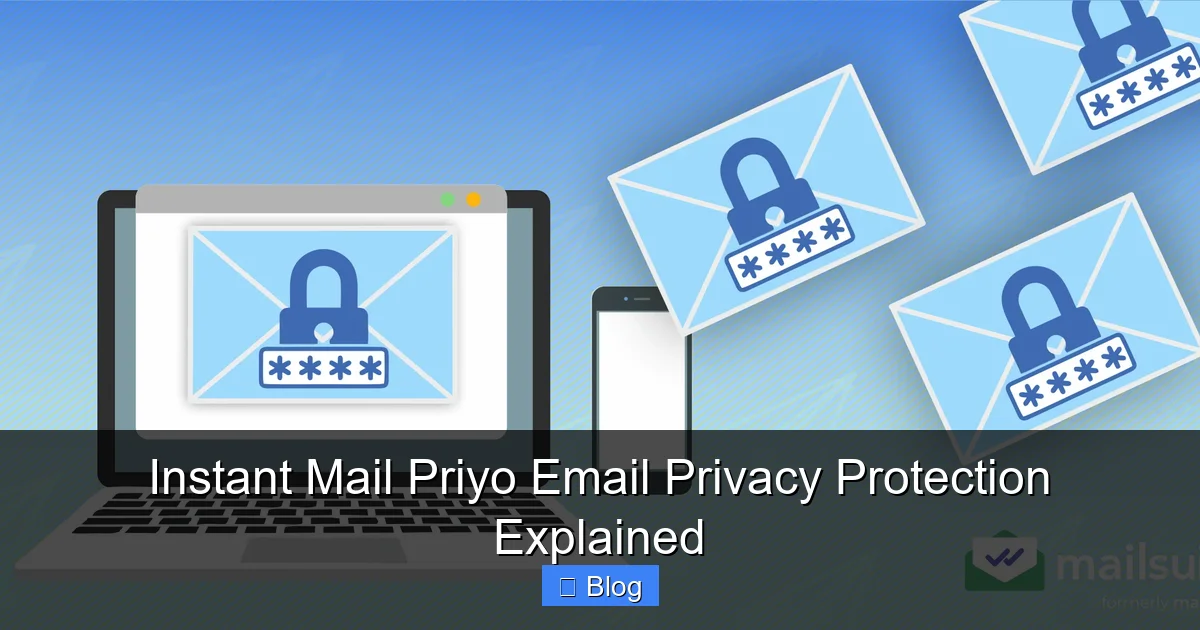
Visual guide about Instant Mail Priyo Email Privacy Protection Explained
Image source: mailsuite.com
You might be thinking, “I don’t have anything to hide. Why do I need email privacy?” But privacy isn’t about hiding secrets—it’s about control. It’s about deciding who gets access to your information and when.
Every time you give out your email, you’re handing over a piece of your digital identity. Companies collect, analyze, and often sell your data to advertisers. Hackers target email accounts to launch phishing attacks. And once your email is in a data breach, it can end up on the dark web—used for scams, spam, or identity theft.
The Rise of Data Tracking
Modern websites use tracking tools to monitor your behavior. They see what you click, how long you stay, and even what device you’re using. Your email address becomes a key that unlocks a profile of your interests, habits, and preferences. This data is valuable—and often shared without your full understanding.
With Instant Mail Priyo email privacy protection, you break that link. By using unique aliases, you prevent companies from connecting your activity across different sites. If one alias gets compromised, it doesn’t affect your others—or your real email.
Real-World Risks
Consider this: in 2023 alone, over 200 million email addresses were exposed in data breaches. Many of those ended up in spam databases, leading to increased phishing attempts and unwanted marketing. Even reputable companies can suffer leaks—so it’s not just about avoiding shady sites.
Using Priyo reduces your exposure. If a service you signed up for gets hacked, only the alias is exposed—not your real email. That means fewer spam emails, fewer scam attempts, and less risk overall.
Key Features of Instant Mail Priyo
Visual guide about Instant Mail Priyo Email Privacy Protection Explained
Image source: blog.mutantmail.com
What sets Instant Mail Priyo apart from other email privacy tools? It’s not just about creating aliases—it’s about giving you full control, flexibility, and peace of mind. Here are the standout features that make it a top choice for privacy-conscious users.
Unlimited Aliases (Depending on Plan)
Priyo allows you to create as many email aliases as you need. Whether you’re signing up for 10 services or 100, you can generate a unique address for each one. This helps you track who’s sending you emails and identify which services might be sharing your data.
For example, if you start getting spam at [email protected], you’ll know it came from that online store—and you can block it instantly.
Instant Alias Generation
No waiting, no delays. With one click, Priyo creates a new alias and makes it ready to use. This is perfect for quick sign-ups, free trials, or one-time downloads. You don’t have to plan ahead—just generate and go.
Custom Alias Names
While Priyo can auto-generate random aliases, you can also create custom ones. Want to use [email protected] for your vacation planning? Go for it. Custom names make it easier to remember which alias is for which service.
Auto-Forwarding and Filtering
All emails sent to your aliases are forwarded to your real inbox. But Priyo also includes basic filtering to block known spam and phishing attempts. This adds an extra layer of protection before messages even reach you.
Alias Management Dashboard
Priyo’s dashboard gives you a clear view of all your aliases. You can see which ones are active, how many emails they’ve received, and when they were created. From here, you can enable, disable, or delete any alias with a single click.
Cross-Platform Sync
Whether you’re on your laptop, phone, or tablet, your aliases sync across all devices. This means you can manage your privacy on the go—no need to be tied to one device.
Who Should Use Instant Mail Priyo?
You might be wondering: is this service right for me? The short answer is yes—if you use email regularly, you can benefit from Priyo. But let’s break it down by user type.
Everyday Internet Users
If you sign up for newsletters, online accounts, or free trials, Priyo is a game-changer. Instead of cluttering your inbox with promotional emails, you use aliases to keep things organized. And if a site starts sending too many emails, you can shut it down instantly.
Online Shoppers
E-commerce sites often send follow-up emails, discount offers, and shipping updates. While some are useful, others can feel overwhelming. With Priyo, you can create a dedicated alias for shopping—like [email protected]—and manage it separately from your personal or work emails.
Freelancers and Remote Workers
If you work with clients or use multiple platforms (like Upwork, Fiverr, or Slack), you can use aliases to keep communications separate. This helps maintain professionalism and reduces the risk of mixing personal and work emails.
Privacy Advocates
For anyone serious about digital privacy, Priyo is a must-have tool. It complements other privacy practices like using a VPN, enabling two-factor authentication, and avoiding public Wi-Fi for sensitive tasks.
Families and Teams
Priyo also offers team plans, making it great for families or small businesses. Parents can create aliases for their kids’ online accounts, while teams can use shared aliases for customer support or project management.
Tips for Getting the Most Out of Priyo
To maximize the benefits of Instant Mail Priyo email privacy protection, here are some practical tips:
- Use Unique Aliases for Each Service: Don’t reuse aliases. If one gets compromised, others stay safe.
- Name Aliases After the Service: Like [email protected] or [email protected]. This makes it easy to identify the source of emails.
- Disable Aliases After Free Trials: Once a trial ends, delete the alias to stop follow-up emails.
- Check Your Dashboard Weekly: Review active aliases and clean up unused ones to stay organized.
- Combine with Other Privacy Tools: Use Priyo alongside ad blockers, password managers, and encrypted messaging for full protection.
Conclusion
In a world where your email address is constantly at risk, Instant Mail Priyo email privacy protection offers a simple, effective solution. It empowers you to take control of your digital identity, reduce spam, and protect yourself from online threats—all without sacrificing convenience.
Whether you’re signing up for a new app, shopping online, or just trying to keep your inbox clean, Priyo gives you the tools to stay private and secure. It’s not just about avoiding junk mail—it’s about reclaiming your privacy in an increasingly connected world.
With easy setup, powerful features, and flexible plans, there’s never been a better time to start protecting your email. Try Instant Mail Priyo today and experience the peace of mind that comes with true digital privacy.
Frequently Asked Questions
What is an email alias?
An email alias is a temporary or alternate email address that forwards messages to your real inbox. It acts as a shield, keeping your actual email hidden from websites and services.
Can I use Instant Mail Priyo with Gmail or Outlook?
Yes, Priyo works with any email provider, including Gmail, Outlook, Yahoo, and others. You simply link your existing account during setup.
Are my emails safe with Priyo?
Yes. Priyo uses encryption and secure servers to protect your data. Your real email and aliases are never shared with third parties.
What happens if I delete an alias?
Once deleted, the alias stops working immediately. Any emails sent to it will bounce back and won’t reach your inbox.
Can I recover a deleted alias?
No, deleted aliases cannot be recovered. However, you can create a new one with the same name if needed.
Is Instant Mail Priyo free?
Priyo offers a free plan with limited aliases, as well as paid plans with more features, unlimited aliases, and team options. Pricing is affordable and scalable.
Leave a Reply