Priyo Mail file sharing simplifies how you send large documents, photos, and videos securely over email. With end-to-end encryption and user-friendly tools, it’s the smart alternative to clunky attachments and unreliable cloud links.
Key Takeaways
- Secure File Transfers: Priyo Mail uses advanced encryption to protect your files from unauthorized access during upload, storage, and download.
- No More Attachment Limits: Bypass email provider size restrictions by sharing files via secure links instead of direct attachments.
- Easy-to-Use Interface: Upload, share, and manage files in just a few clicks—no technical skills required.
- Access Control & Expiry: Set passwords, download limits, and expiration dates to maintain full control over shared content.
- Cross-Platform Compatibility: Works seamlessly on desktop, mobile, and tablet devices across all major operating systems.
- Ideal for Personal and Business Use: From sending family photos to sharing project reports, Priyo Mail fits every scenario.
- Free and Premium Plans: Start with a free account and upgrade for larger storage and advanced features.
📑 Table of Contents
- What Is Priyo Mail File Sharing?
- Why Traditional Email Attachments Fall Short
- How Priyo Mail File Sharing Works
- Security Features That Set Priyo Mail Apart
- Real-World Use Cases for Priyo Mail
- Priyo Mail vs. Other File-Sharing Tools
- Getting Started with Priyo Mail
- Tips for Maximizing Your Priyo Mail Experience
- Conclusion
What Is Priyo Mail File Sharing?
If you’ve ever tried to email a large video, a batch of high-res photos, or a hefty PDF report, you know how frustrating it can be. Most email services cap attachment sizes at 25MB or less—sometimes even lower. That means your important file gets bounced back with an error message, leaving you scrambling for alternatives like WeTransfer, Google Drive, or Dropbox. But what if there was a simpler, more secure way built right into your email experience?
Enter Priyo Mail file sharing—a smart, integrated solution that lets you send large files directly through your email without the hassle of third-party platforms. Think of it as your email’s built-in file-sharing assistant. Instead of attaching the actual file (which can clog inboxes and trigger security filters), Priyo Mail uploads your file to a secure server and sends the recipient a private, encrypted download link. This keeps your email clean, fast, and compliant with size limits—all while ensuring your data stays protected.
Priyo Mail isn’t just another cloud storage service. It’s designed specifically for email users who want convenience without compromising security. Whether you’re a freelancer sending client deliverables, a student submitting assignments, or a grandparent sharing vacation pics with the family, Priyo Mail streamlines the process so you can focus on what matters—your message, not the mechanics of delivery.
Why Traditional Email Attachments Fall Short
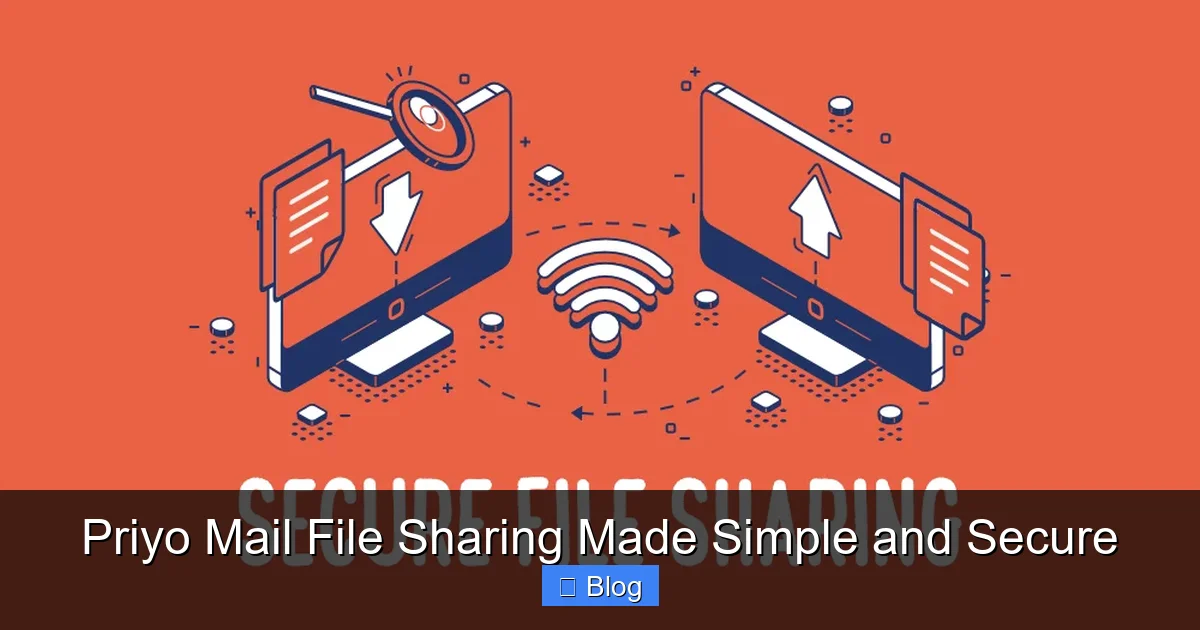
Visual guide about Priyo Mail File Sharing Made Simple and Secure
Image source: media.geeksforgeeks.org
Let’s be honest: email attachments haven’t evolved much since the 1990s. They’re clunky, size-limited, and often flagged as potential security risks by spam filters. When you attach a 50MB video to an email, you’re not just pushing against technical limits—you’re also increasing the chances your message will end up in the recipient’s spam folder or get rejected entirely.
Here’s why traditional attachments are problematic:
- Size Restrictions: Most email providers (like Gmail, Outlook, and Yahoo) limit attachments to 20–25MB. Anything larger requires workarounds.
- Slow Uploads and Downloads: Large files take forever to upload, especially on slower connections. Recipients face the same delay when downloading.
- Security Risks: Attachments can contain malware or be intercepted in transit. Many organizations block executable files (.exe, .zip) outright.
- Inbox Clutter: Storing large files in email threads wastes server space and makes searching through old messages a nightmare.
- No Control After Sending: Once you hit “send,” you can’t revoke access, set expiration dates, or track who downloaded the file.
Priyo Mail solves all these issues by shifting the file off your email server and into a secure, managed environment. The result? Faster emails, happier recipients, and peace of mind knowing your data is handled responsibly.
How Priyo Mail File Sharing Works
Using Priyo Mail file sharing is refreshingly simple—even if you’re not tech-savvy. Here’s a step-by-step breakdown of how it works:
Step 1: Compose Your Email
Start by writing your email just like you normally would. Add the recipient’s address, subject line, and message body.
Step 2: Click the “Share File” Button
Instead of clicking the paperclip icon to attach a file, look for the Priyo Mail “Share File” button (usually integrated into your email client or accessible via a web dashboard). Click it to open the file uploader.
Step 3: Upload Your File
Select the file you want to share from your computer, phone, or cloud storage. Priyo Mail supports all common formats—PDFs, Word docs, Excel sheets, JPEGs, MP4s, ZIP folders, and more. There’s no need to compress or split files manually.
Step 4: Set Sharing Preferences (Optional)
Before sending, you can customize your sharing settings:
- Password Protection: Add a password so only authorized users can download the file.
- Expiration Date: Choose how long the link stays active (e.g., 7 days, 30 days, or custom).
- Download Limit: Restrict how many times the file can be downloaded (great for sensitive documents).
- Notifications: Get alerts when someone downloads your file.
Step 5: Send the Email
Hit send! The recipient receives your email with a secure download link. They click it, enter a password if required, and download the file directly—no account needed on their end.
Behind the scenes, Priyo Mail encrypts your file using AES-256 encryption during upload and storage. The link is time-limited and can’t be guessed or brute-forced. Even if someone intercepts the email, they can’t access the file without the proper credentials.
Security Features That Set Priyo Mail Apart
When it comes to sharing files online, security isn’t optional—it’s essential. Priyo Mail takes privacy seriously, implementing enterprise-grade protections to keep your data safe.
End-to-End Encryption
Every file uploaded to Priyo Mail is encrypted before it leaves your device. This means only you and the intended recipient can access the content. Even Priyo Mail’s servers can’t read your files—they’re stored as scrambled data until decrypted by the recipient.
Zero-Knowledge Architecture
Priyo Mail operates on a zero-knowledge model. That means the company doesn’t store your passwords or have access to your encryption keys. You’re in full control of who sees your files.
Secure Link Generation
Download links are randomly generated and include unique tokens. They’re not predictable or reusable, reducing the risk of unauthorized access.
Compliance with Data Standards
Priyo Mail complies with GDPR, CCPA, and other global privacy regulations. This makes it a trusted choice for businesses handling sensitive customer or employee information.
Automatic File Deletion
Once a file expires or reaches its download limit, it’s automatically deleted from Priyo Mail’s servers. No traces are left behind, minimizing data exposure.
For added peace of mind, Priyo Mail also offers two-factor authentication (2FA) for account login and detailed activity logs so you can monitor who accessed your files and when.
Real-World Use Cases for Priyo Mail
Priyo Mail isn’t just for tech enthusiasts—it’s useful for everyday people and professionals alike. Here are some common scenarios where it shines:
Freelancers and Creatives
Graphic designers, photographers, and writers often need to send large portfolios, RAW images, or video edits to clients. Instead of using multiple platforms or worrying about file corruption, they use Priyo Mail to deliver high-quality work securely and professionally.
Remote Teams and Project Managers
When collaborating on documents, presentations, or design assets, team members can share updated files instantly. With download tracking and expiration dates, managers know exactly when files were accessed and can prevent outdated versions from circulating.
Healthcare and Legal Professionals
Doctors, lawyers, and consultants handle sensitive data daily. Priyo Mail’s encryption and access controls ensure patient records, legal briefs, and contracts remain confidential and compliant with industry regulations.
Students and Educators
Students can submit large research papers, multimedia projects, or thesis drafts without hitting email limits. Teachers can share lecture recordings, syllabi, or feedback securely with entire classes.
Families and Friends
Grandparents can send wedding videos or baby photos to relatives overseas without worrying about file size or compatibility. Everyone gets a clean, fast download—no tech support needed.
In each case, Priyo Mail removes friction from communication while boosting security and reliability.
Priyo Mail vs. Other File-Sharing Tools
You might be wondering: How does Priyo Mail compare to popular alternatives like WeTransfer, Google Drive, or Dropbox? Let’s break it down:
- WeTransfer: Great for quick transfers, but free accounts have limited storage (2GB) and no password protection. Paid plans are pricey for regular use.
- Google Drive / Dropbox: Excellent for long-term storage and collaboration, but require both parties to have accounts. Sharing large files via email still often leads to broken links or permission errors.
- Email Attachments: Simple but outdated. Prone to size limits, security flags, and inbox bloat.
Priyo Mail combines the best of both worlds: the simplicity of email with the power of secure cloud sharing. It doesn’t require recipients to sign up, works across all devices, and integrates seamlessly into your existing workflow. Plus, its focus on email-native file sharing means you stay within your familiar inbox environment—no switching apps or tabs.
Getting Started with Priyo Mail
Ready to try Priyo Mail file sharing? Here’s how to get set up in minutes:
- Sign Up: Visit the Priyo Mail website and create a free account using your email address.
- Verify Your Email: Confirm your account via the verification link sent to your inbox.
- Install the Extension (Optional): For Gmail or Outlook users, install the Priyo Mail browser extension or plugin for one-click access.
- Upload Your First File: Compose a new email, click “Share File,” upload your document, set preferences, and send!
The free plan includes 5GB of storage and basic sharing features—perfect for personal use. Upgrade to Premium for 100GB+ storage, advanced security options, team collaboration tools, and priority support.
Tips for Maximizing Your Priyo Mail Experience
To get the most out of Priyo Mail file sharing, keep these best practices in mind:
- Use Descriptive File Names: Help recipients understand what they’re downloading by naming files clearly (e.g., “Q3_Report_Final_v2.pdf” instead of “Document1.pdf”).
- Set Expiration Dates for Sensitive Files: Don’t let confidential data linger online forever. Set links to expire after a week or two.
- Enable Download Notifications: Stay informed when your files are accessed—especially useful for time-sensitive deliveries.
- Combine with Email Signatures: Add a note like “Large files shared securely via Priyo Mail” to set expectations.
- Test Links Before Sending: Always preview your shared link to ensure it works and opens correctly.
By following these tips, you’ll ensure smooth, professional, and secure file exchanges every time.
Conclusion
Priyo Mail file sharing is a game-changer for anyone tired of wrestling with email attachments, cloud storage logins, or unreliable transfer services. It brings simplicity, speed, and serious security to your inbox—making it easier than ever to share what matters most.
Whether you’re sending a birthday video to your niece, a contract to a client, or a project update to your team, Priyo Mail handles the heavy lifting so you don’t have to. With robust encryption, intuitive controls, and seamless integration, it’s the smart choice for modern communication.
Don’t let file size limits or security concerns slow you down. Give Priyo Mail a try today and experience file sharing the way it should be: simple, secure, and stress-free.
Frequently Asked Questions
Is Priyo Mail file sharing really secure?
Yes. Priyo Mail uses AES-256 encryption, zero-knowledge architecture, and secure link generation to protect your files. Even the company can’t access your data without your permission.
Do recipients need a Priyo Mail account to download files?
No. Recipients only need the secure download link sent via email. They don’t have to sign up or log in—just click, enter a password if required, and download.
What file types can I share with Priyo Mail?
Priyo Mail supports all common file formats, including PDF, DOCX, XLSX, PPTX, JPEG, PNG, MP4, AVI, ZIP, and more. There’s no restriction on file type.
How long do shared files stay available?
You control the expiration date. Choose from preset options (7, 14, 30 days) or set a custom date. Files are automatically deleted after expiration.
Can I track who downloads my files?
Yes. With download notifications enabled, you’ll receive an email alert each time someone accesses your shared file. Premium users also get detailed activity logs.
Is there a free version of Priyo Mail?
Absolutely. The free plan includes 5GB of storage and core sharing features. Upgrade to Premium for more storage, advanced security, and team tools.
Leave a Reply