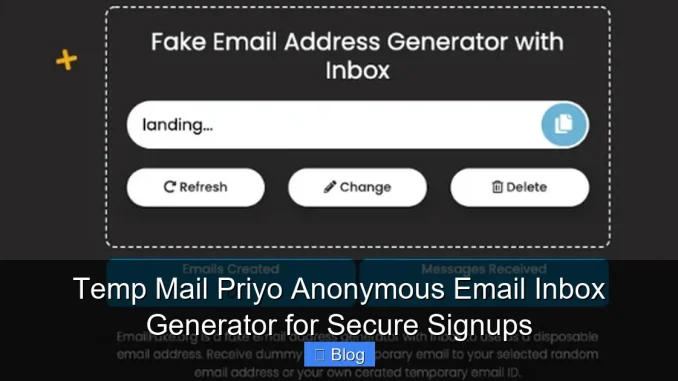
Temp Mail Priyo offers a fast, secure, and completely anonymous email inbox generator that lets you sign up for services without revealing your real email. Whether you’re avoiding spam or protecting your identity, this tool gives you instant, disposable email addresses with zero setup.
Key Takeaways
- Instant Anonymous Inbox: Get a temporary email address in seconds—no registration or personal info required.
- Enhanced Privacy Protection: Keep your real email safe from data breaches, spam, and unwanted marketing.
- No Installation Needed: Works directly in your browser—no downloads, extensions, or apps.
- Auto-Refresh & Message Monitoring: View incoming emails in real time with automatic inbox updates.
- Ideal for Quick Signups: Perfect for one-time registrations on forums, apps, or trial services.
- Free and Ad-Supported: Use all core features at no cost, supported by non-intrusive ads.
- Global Accessibility: Available worldwide with multilingual support and mobile-friendly design.
📑 Table of Contents
- What Is Temp Mail Priyo and Why Should You Use It?
- How Temp Mail Priyo Works: A Step-by-Step Guide
- Top Benefits of Using an Anonymous Email Inbox Generator
- Real-World Use Cases: When to Use Temp Mail Priyo
- Is Temp Mail Priyo Safe and Reliable?
- Tips for Getting the Most Out of Temp Mail Priyo
- Conclusion: Stay Safe and Spam-Free with Temp Mail Priyo
What Is Temp Mail Priyo and Why Should You Use It?
In today’s digital world, every website, app, or online service seems to demand an email address just to let you in. Whether it’s signing up for a free trial, joining a forum, or downloading an eBook, your inbox quickly fills with promotional emails, spam, and potential phishing attempts. That’s where Temp Mail Priyo comes in—a smart, anonymous email inbox generator designed to protect your privacy while giving you full access to online services.
Temp Mail Priyo is a free, web-based tool that creates temporary email addresses on demand. These disposable inboxes let you receive emails without ever exposing your real email account. Think of it as a digital shield: you interact with websites using a fake email, and any messages they send go straight to your temporary inbox—not your personal one. This simple trick can save you hours of inbox cleanup and reduce your risk of identity theft or data leaks.
Unlike other temporary email services that require downloads or complicated setups, Temp Mail Priyo works instantly in your browser. Just visit the site, and you’re given a random email address right away. No sign-up, no passwords, no personal details—just instant access to a secure, anonymous inbox. Whether you’re a privacy-conscious user, a frequent online shopper, or someone who just hates spam, this tool is a game-changer.
How Temp Mail Priyo Works: A Step-by-Step Guide
Using Temp Mail Priyo is refreshingly simple—even if you’ve never used a disposable email service before. The entire process takes less than 30 seconds, and you don’t need any technical skills. Here’s how it works:
Step 1: Visit the Temp Mail Priyo Website
Open your preferred web browser and go to the official Temp Mail Priyo site. The interface is clean and intuitive, with a prominent email address displayed front and center. This is your temporary inbox address—something like [email protected].
Step 2: Copy the Email Address
Click the copy button next to the email address to save it to your clipboard. You can also manually select and copy it if you prefer.
Step 3: Use It for Signups
Head over to the website or app where you need to register. Paste the temporary email into the email field during signup. For example, if you’re signing up for a free software trial or a newsletter, just use your Temp Mail Priyo address instead of your real one.
Step 4: Check Your Inbox for Verification
After submitting the form, return to the Temp Mail Priyo site. The inbox will automatically refresh and show any new messages—like verification links or welcome emails. Click on the message to open it, then click the verification link to complete your registration.
Step 5: Done—No Spam, No Hassle
Once you’ve verified your account or received the needed information, you can walk away. The temporary email will expire after a set time (usually 10–60 minutes), and all messages will be deleted. Your real inbox stays clean, and your privacy remains intact.
Top Benefits of Using an Anonymous Email Inbox Generator
Temp Mail Priyo isn’t just convenient—it’s a powerful tool for digital safety. Here are the key benefits that make it worth using:
Protect Your Primary Email from Spam
Every time you use your real email online, you increase the chance of it being harvested by bots, sold to marketers, or exposed in a data breach. By using a temporary email, you keep your main inbox free from junk. No more sifting through promotional emails or worrying about phishing scams.
Avoid Unwanted Marketing and Tracking
Many websites track your behavior and send targeted ads based on your email activity. A disposable inbox breaks this chain. Since the email is anonymous and short-lived, companies can’t build a profile on you or send follow-up messages.
Safe Testing of New Apps and Services
Trying out a new app? Use Temp Mail Priyo to sign up without commitment. If the app turns out to be spammy or low-quality, you haven’t compromised your real email. This is especially useful for beta tests, free trials, or one-time downloads.
Enhanced Security During Public Wi-Fi Use
When you’re on public Wi-Fi—like at a coffee shop or airport—your data is more vulnerable. Using a temporary email reduces the risk of exposing your personal accounts. Even if the network is compromised, your real email stays safe.
Perfect for Online Forums and Communities
Some forums require email verification but don’t offer much value in return. Instead of giving them your real address, use a disposable one. You get access without long-term consequences.
No Risk of Account Lockouts or Recovery Issues
If you forget a password or get locked out of a service, recovery often depends on email access. With a temporary email, there’s no recovery—because you don’t need it. This forces you to only use the service while the inbox is active, reducing digital clutter.
Real-World Use Cases: When to Use Temp Mail Priyo
You might be wondering, “When would I actually need this?” The truth is, there are dozens of everyday situations where Temp Mail Priyo shines. Here are some practical examples:
Downloading Free Ebooks or Templates
Many websites offer free resources—like PDF guides, Excel templates, or design assets—but require an email to download. Instead of cluttering your inbox, use a temporary email. You get the file, and your real email stays untouched.
Signing Up for Free Trials
Streaming services, software tools, and fitness apps often offer free trials. Use Temp Mail Priyo to sign up, enjoy the trial, and avoid automatic billing reminders or spam emails later.
Creating Accounts on Unknown Websites
Stumbled upon a niche forum or a small online store? Don’t risk your real email. Use a disposable one to explore safely. If the site turns out to be trustworthy, you can always switch to your real email later.
Job Applications and Freelance Platforms
When applying for jobs or gigs on platforms like Upwork or Fiverr, some employers may request contact via email. Use a temporary address to communicate initially, then switch to your real one once trust is established.
Online Surveys and Giveaways
Participating in surveys or contests? Many are spam traps. Use Temp Mail Priyo to enter without worrying about follow-up emails or data misuse.
Testing Email Automation Tools
If you’re a marketer or developer testing email campaigns, use disposable inboxes to simulate user signups and verify delivery without affecting real accounts.
Is Temp Mail Priyo Safe and Reliable?
Safety is a top concern when using any online tool—especially one that handles email. So, is Temp Mail Priyo trustworthy?
No Personal Data Collected
One of the biggest advantages of Temp Mail Priyo is that it doesn’t ask for any personal information. You don’t need to create an account, provide a phone number, or verify your identity. This means there’s no data trail leading back to you.
Encrypted Connections
The site uses HTTPS encryption, ensuring that your activity is secure between your browser and their servers. This prevents third parties from intercepting your emails or tracking your usage.
Automatic Inbox Expiry
Temporary emails are designed to self-destruct. Most inboxes expire after 10 to 60 minutes, depending on usage. Once expired, all messages are permanently deleted. This reduces the risk of old data being accessed or misused.
No Ads in Your Inbox
Unlike some free email services, Temp Mail Priyo doesn’t inject ads into your messages. The emails you receive are clean and unaltered, so you can trust the content.
Community and User Feedback
Temp Mail Priyo has been used by thousands of people worldwide. User reviews consistently praise its simplicity, speed, and reliability. While no service is 100% foolproof, the lack of reported security issues speaks volumes.
That said, it’s important to remember that temporary emails are not meant for sensitive communications. Avoid using them for banking, legal documents, or anything requiring long-term access. They’re best for short-term, low-risk interactions.
Tips for Getting the Most Out of Temp Mail Priyo
To maximize your experience with Temp Mail Priyo, keep these practical tips in mind:
Use It on Mobile and Desktop
Temp Mail Priyo is fully responsive, meaning it works seamlessly on smartphones, tablets, and computers. Whether you’re signing up on your phone or laptop, the experience is smooth and fast.
Refresh the Inbox Manually if Needed
While the inbox auto-refreshes every few seconds, you can also click the refresh button to check for new messages immediately. This is helpful if you’re waiting for a time-sensitive verification link.
Copy Verification Links Quickly
Some services send time-limited links. As soon as you see a new email, open it and click the link right away. Delaying could result in the link expiring.
Don’t Use It for Important Accounts
Avoid using temporary emails for accounts you plan to keep long-term, like social media, email providers, or financial services. You won’t be able to recover access if you lose the inbox.
Combine with Other Privacy Tools
For even greater protection, use Temp Mail Priyo alongside a VPN, ad blocker, or privacy-focused browser like Brave or Firefox. This creates a multi-layered defense against tracking and data collection.
Bookmark the Site for Quick Access
Since you’ll likely use it often, save Temp Mail Priyo to your bookmarks or home screen for instant access whenever you need a disposable email.
Conclusion: Stay Safe and Spam-Free with Temp Mail Priyo
In a world where your email address is as valuable as your phone number or home address, protecting it should be a top priority. Temp Mail Priyo offers a simple, effective, and completely free way to do just that. By generating anonymous email inboxes on demand, it empowers you to explore the internet without sacrificing your privacy.
Whether you’re signing up for a one-time service, testing a new app, or just tired of spam, this tool puts you in control. No more unwanted emails clogging your inbox. No more fear of data breaches. Just fast, secure, and anonymous access to the online world.
Best of all, it’s incredibly easy to use—no technical knowledge required. In just a few clicks, you can create a temporary email, verify your account, and move on with your day. It’s the digital equivalent of wearing a disguise: you get the access you need, while staying completely anonymous.
So the next time you’re asked for an email address, don’t reach for your personal one. Try Temp Mail Priyo instead. Your inbox—and your peace of mind—will thank you.
Frequently Asked Questions
Is Temp Mail Priyo completely free to use?
Yes, Temp Mail Priyo is 100% free. There are no hidden fees, subscriptions, or premium upgrades. The service is supported by non-intrusive ads on the website.
How long do temporary email addresses last?
Most temporary emails expire after 10 to 60 minutes, depending on activity. Once expired, the inbox and all messages are permanently deleted.
Can I create a custom email address with Temp Mail Priyo?
Currently, Temp Mail Priyo generates random email addresses automatically. Custom addresses are not supported, but the random ones work perfectly for most signups.
Are the emails I receive private and secure?
Yes. Emails are encrypted in transit, and no personal data is stored. However, avoid sending sensitive information through temporary inboxes.
Can I use Temp Mail Priyo on my smartphone?
Absolutely. The site is mobile-friendly and works on all devices with a web browser—no app download required.
What happens if I don’t receive a verification email?
First, check that you entered the temporary email correctly. If the message still doesn’t appear, try generating a new email address and repeating the process. Some services may block disposable domains.
Leave a Reply